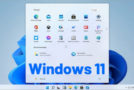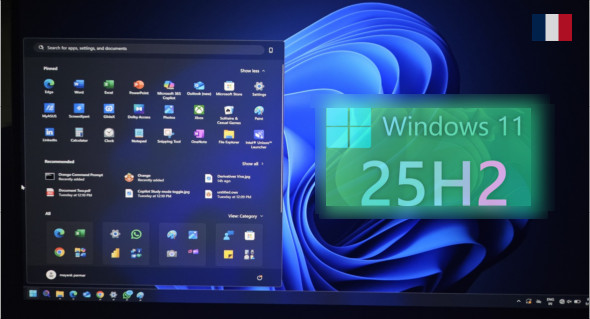
The version Windows 11 25H2 Build 10.0.26200 En This marks a new stage in the evolution of Microsoft's operating system. Scheduled for late 2025, this major update, deployed as an Enablement Package, transforms your Windows 11 experience without requiring a complete reinstallation.
Microsoft continues to improve the stability, security, and usability of its system while ensuring full compatibility with existing applications.
This build 26200 is for all users, whether they are using version Family (Home) Or Professional (Pro)These two editions are included in the ISO image, allowing you to adapt the system to your home or professional needs.
A quick and smooth update
One of the great strengths of Windows 11 25H2 Its ease of installation is key. Thanks to the technology enablement packageThe update is applied in minutes, without data loss or complete reset.
Users already under Windows 11 24H2 (build 26100) thus benefit from a seamless transition to 25H2 — a simple reboot is all that is needed.
Microsoft has chosen to keep the same service branch for both versions: this means that 24H2 and 25H2 receive the same monthly updates (LCU), with additional features being progressively enabled in 25H2.
New features and notable improvements
Improved accessibility thanks to artificial intelligence
A major new feature introduced in this build 10.0.26200 is the ability to obtain an automatic description of images using AI (Click to DoThis function allows visuals to be described for visually impaired people or users of Windows Narrator, making the system even more inclusive.
Enhanced security with “Administrator Protection”
Windows 11 25H2 includes new administrator session protection. When sensitive actions are performed (system modifications, application installations, scripts, etc.), the system requires enhanced validation, preventing privilege abuse and targeted attacks.
Modernized interface and redesigned dialogues
The permission dialog boxes (camera, microphone, file access, etc.) now feature a modern, centered design with a blurred background effect. This redesign makes interactions clearer and more consistent throughout the system.
In addition, hardware indicators (volume, brightness, airplane mode, keyboard, etc.) can now be moved on the screen, offering increased personalization of the user experience.
System cleaning and components removed
Microsoft continues its streamlining efforts: PowerShell 2.0, WMIC and other obsolete elements are now being removed to lighten the system and strengthen security.
These removals also improve compatibility with the new Windows Defender and SmartScreen security standards.
Performance and reliability improvements
Numerous invisible optimizations improve the system's execution speed, including:
- faster opening of files stored in the cloud;
- enhanced stability of File Explorer (explorer.exe);
- improved Start menu and taskbar performance;
- Improved memory and process management.
Users also notice faster boot times and better battery life on Intel Evo and AMD Zen 4/5 compatible laptops.
Clock with redesigned seconds and notifications
Windows 11 25H2 now allows displaying the seconds in the taskbar clock and in the Notification Center. A small improvement, but appreciated by users who demand precision!
The notification panel also gains clarity and repositions itself better on secondary monitors.
Editions included: Family and Professional
Windows 11 25H2 Home
Designed for home use, it emphasizes simplicity, fluidity, and connected tools:
- Intuitive interface focused on productivity and leisure;
- Seamless integration with Microsoft Store and Xbox Game Pass;
- Enhanced security via Windows Hello and TPM 2.0;
- AI features accessible via Copilot (in compatible regions).
Windows 11 25H2 Professional
Designed for freelancers, SMEs and advanced users, the Pro edition adds:
- BitLocker encryption;
- Remote Desktop;
- Group Policy;
- Compatibility with Azure AD and Active Directory environments;
- Hyper-V virtualization options and Windows Sandbox.
These two versions share the same software base and the same performance optimizations.
Difference with Windows 11 AIO 16 24H2 Build 26100.4946 Pre-activated
You can find an earlier version on TrucNet:
Windows 11 AIO 16 24H2 Build 26100.4946 Preactivated
This edition remains efficient and stable, but build 26200 (25H2) introduces:
- improved stability;
- recent security patches;
- additional AI and administrative features;
- extended support.
Thus, 25H2 stands out as the most complete and reliable version of Windows 11 to date.
Windows Activation
Windows will automatically activate with an original Windows 10 or Windows 11 key corresponding to the installed version (Home or Professional).
If you do not have a valid key, you can use the activator. MAS AIO available on the website to activate your system quickly and easily.
Version : 25H2 Build 10.0.26200 (x64)
Language : French
Size : 7.21 GB
Download Windows 11 Pro and Home 25H2 Build 10.0.26200 (French)
This article was updated on October 9, 2025