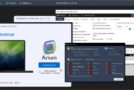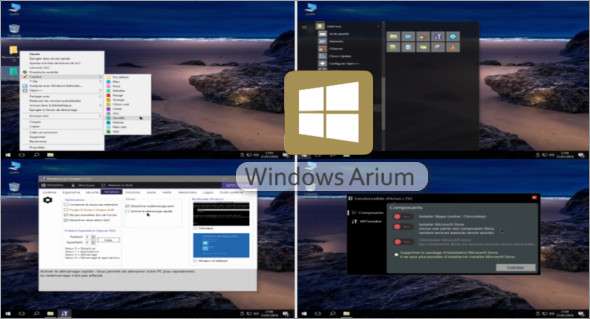
This version is based on the Enterprise LTSB 2016 release and by default does not include any UWP apps, Cortana, the Store, or Edge. It's a streamlined, reliable, optimized, and fully customizable operating system. Various tools, such as Softs'Ium Update, allow for easy monthly updates of the applications integrated into Arium.
Key points to remember
– Arium Assist Installer
– Up-to-date system
– IumKit Deployment registry tweaks
– Configured services
– No deletion/deactivation that could cause bugs or incompatibilities; system configurable with Windows Ium Tweaker
Most privacy options are disabled by default, and telemetry services are disabled.
– Microsoft Store is available as an option (Control Panel > Arium Features)
– Compatible with Chocolatey packages (usable via commands and items in the start menu to update Chocolatey packages)
Additional information
This distribution is done with the help of the Deployment Ium Kit, WITweaker, PowerShell, Sysprep.
– Windows version downgrade function removed
– All Windows Update updates are included (January)
– No activation required (homemade mechanism, no viruses or false positives unlike traditional activators)
User Account Control (UAC) is not disabled.
– No SFC errors or system corruption
– Windows Update is working
– Integration of Softs'Ium (Deployment Ium Kit), 7-Zip, SumatraPDF, VLC, WinDiff (file comparator)
– Ability to disable/enable certain features in the Arium Installation Assistant, such as the Microsoft Store
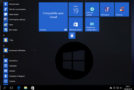
– Preconfigured Start Menu
– Reintegration of Tape Recorder, Sticky Notes (classic Win32 versions of W8.1)
– Ability to change the color of folders (FolderPainter)
– Using only the Arium USB Media Creation Tool:
— Integration of MemTest86 by launching the Arium installation (available on older BIOS versions or in CSM mode)
Services disabled
– Connected Devices Platform User Platform Service (will be reactivated if you install the Microsoft Store)
– Distributed Link Tracking Client
– Offline files
– Synchronization host
– Remote registry
– Routing and remote access
– Program compatibility service.
– Net.TCP port sharing services
– Error reporting service
– Diagnostic Strategy Service
– WMP Network Sharing Service
— To be adjusted during the installation of Arium:
– Superfetch
– Windows Search
Register modifications (non-exhaustive)
– Notepad++ is the default for text files
– VLC is the default for multimedia files
– 7-Zip is the default for compressed archives
Explorer:
– Removal of the suffix “Shortcuts to”
– Display of hidden folders and file extensions
– Displaying the Recycle Bin
Desk:
– “This PC” icon
System:
– Faster Windows shutdown; unresponsive applications will be forced to close.
– Display of detailed information at login and login
– Low disk space warning disabled
– Automatic restart in case of failure disabled, a BSOD is displayed instead
– Autoplay disabled
– Hibernation disabled
– Error reporting disabled
Taskbar
– Show all notification area icons
Privacy, disable telemetry for:
– Camera
– Microphone
– Diagnostics
– Suggestions
- Location
…and many more, which can be reactivated from “PC Settings”
Interface
– Logon wallpaper disabled (reactivated with WITweaker)
– Aero Black Sliders
– Theme 7-Zip Windows 10 by alexgal23
– Theme Notepad++ Visual Studio Dark by Erdin Kacan
– Vbnet Flat UI Theme for Arium Assist by iSynthesis
Version Arium 10 LTSC 1801 (x64)
Language : French
Size 3.3 GB
Windows Arium 10 LTSC 1801 (x64) – Jan 2018
This article was last updated on February 10, 2025