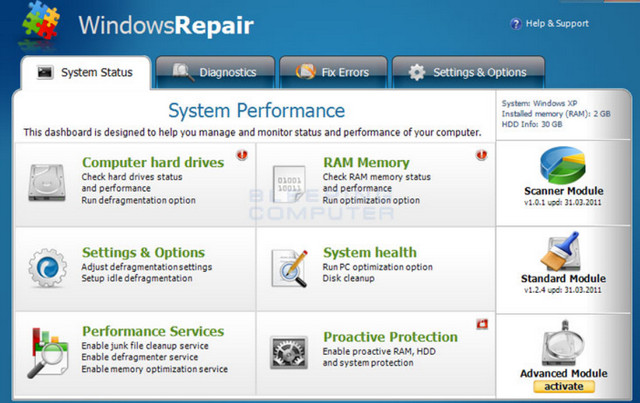
All-in-one repair tool to help solve the vast majority of known Windows problems.
With Tweaking.com – Windows Repair, you can restore Windows to its original settings.
In addition to cleaning the registry like similar software, Window Registry Repair searches for any errors or invalid entries that might slow down your system.
This software will indeed perform scans of your registry to find and repair anything that can harm your computer or make it slower, such as entries that point to non-existent files, or remnants of improperly uninstalled applications.
It fixes registry errors, file permissions, and problems with IE, Windows Update, Windows Firewall, and more.
You will have the option to create a system restore point which will allow you to return to the beginning in case of a crash or system failure.
You will therefore receive a thoroughly cleaned and repaired work tool that is more stable and faster.
Windows Repair can do the following:
– Reset registry permissions
– Reset file permissions
– Save system files
– Repair WMI
– Repair Windows Firewall
– Repair Internet Explorer
– Repair MDAC & MS Jet
– Repair the “Hosts” file
– Remove policies established by infections
– Repairing Icons
– Repair Winsock & DNS Cache
– Delete temporary files
– Repair the proxy settings
– Unmask non-system files
– Repair Windows updates
and more…
Advantages of the PRO version:
– Extended Windows cleaning functions
– System performance settings
– Automatic application of system settings after repairs.
– Quick shortcuts for system settings.
– Add your own custom scripts and Registry files to run after repairs.
– Access to all professional features and tools.
– Change the logo image on the main window to put your own company logo.
Using Windows Repair:
When you launch the program, you will follow five steps before the repair options.
These steps are strongly recommended before attempting any repairs.
Step 1 – Perform a Power Reset (optional)
First, make sure to remove the power cord or battery (Laptop) and press the power button.
This will drain the electricity out of the system and erase the volatile memory.
Reconnect the cord or replace the battery and restart your system.
————————-
Step 2 – Cleanse your system of infections
Trying to repair a system that is likely infected is obviously a very bad idea and can make things worse.
An infection can hijack a machine and prevent some repairs from running correctly.
The basic rule before working on a system is to ensure that it is healthy.
Even if you think your system is healthy, getting it tested beforehand is a good idea.
————————-
Step 3 – Check the File System
Performing a hard drive check is a good idea.
Windows will check the File System and fix any problems found.
Corrupted files can invalidate repairs. Therefore, ensuring the file system is healthy is essential.
————————-
Step 4 – System Check File (SFC)
The built-in Windows System File Checker is a tool that verifies that Windows files are intact, uncorrupted, and that their versions are correct. It should be run before any potential repairs.
————————-
Step 5 – System Restore
Create a system restore point before making any repairs.
If unforeseen problems occur after any repair, a system restore can return the system to its original state.
Start the repairs:
Tips for better results and safety:
(1) Always back up the registry before repairs.
(2) Always perform repairs in Windows Safe Mode.
(3) Perform the repairs twice (repair, reboot, re-repair).
New features in this version:
– Added the “Repair Recycle Bin” feature.
Corrupted items or items that cannot be removed from the recycle bin are fixed by this repair.
This repair will delete the contents of the Recycle Bin and correct the permissions for the Recycle Bin and all sub-items.
This also allows you to delete items with a path longer than 255 characters.
– Fixed a bug when saving custom scripts.
– Fixed a bug where the returned system variables were incorrect.
– Code improvement: all Unicode API calls have been updated to handle paths longer than 255 characters.
Configuration
Windows: xp/vista/7/8/8.1/10 (32/64Bits)
CPU: P4 3GHz
RAM: 1GB
Disk: 30MB
Facility:
1. Install by launching the file "tweaking.com_windows_repair_aio_setup" – Do not open.
2. Close the program completely (icon in the notification area).
3. Copy the contents of the "Crack" folder into:
C:\Program Files (x86)\Tweaking.com\Windows Repair (All in One)
OR
C:\Program Files\Tweaking.com\Windows Repair (All in One)
3. Block the "Repair_Windows.exe" file with your Firewall.
OR add these 2 lines to Hosts file :
127.0.0.1 tweaking.com
127.0.0.1 update.tweaking.com
– Run with Administrator Rights (For Repairs) —
– Do not perform automatic updates from the software.
- Language: English
- Size: 66.1 MB
This article was updated on August 12, 2016