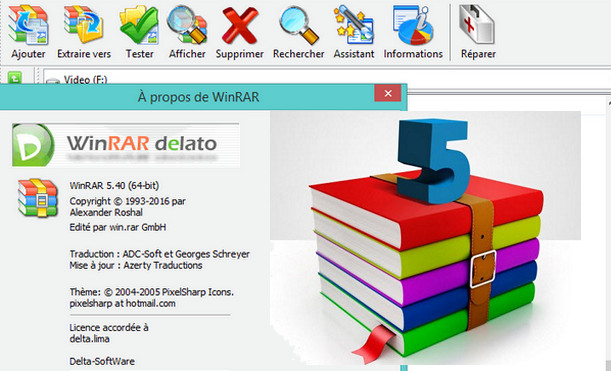
WinRAR is one of the iconic software programs in the field of file compression. As its name suggests, the software from RarLabs obviously manages its RAR file format but also the essential ZIP, as well as the decompression of the following formats: CAB, ARJ, LZH, TAR, GZip, TAR.GZ, BZ2, TAR.BZ2, ACE, UUE, JAR, ISO – ISO9660, 7-Zip and Z.
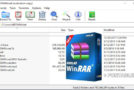
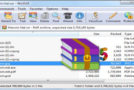
Like its competitors, WinRAR integrates with Windows Explorer, allowing you to compress and decompress files directly from the context menu. While this functionality may be sufficient for most users, WinRAR also offers more advanced features such as archive protection through the creation of recovery volumes, password protection, file testing, and a benchmarking module to test your PC's compression performance.
WinRAR – What's new in the latest version WinRAR 5.40
1. The "Name Encoding" submenu of the "Options" menu allows you to select the name encoding for archived files. This selection affects archive browsing and extraction commands. You can use the keyboard shortcut Ctrl+E to access this menu quickly.
It can be useful when decompressing an archive without a Unicode filename.
For example, decompressing a zip file with archived filenames in Chinese in Windows with Russian specified as the language for non-Unicode programs.
2. If the RAR recovery volumes (.rev files) are present in the same folder as the RAR volumes, the archive test command checks the contents of the .rev after completing the tests on the .rar files.
If you only want to test .rev files without checking .rar volumes, you can select the .rev files in the WinRAR file list and apply "Test" to them, or run:
rar t arcname.part1.rev in the command line.
3. While the NTFS file system allows filenames with trailing spaces and periods, many Windows programs fail to handle such names correctly. If the "Allow potentially incompatible names" option on the "Advanced" page of the extraction dialog is disabled, WinRAR will remove trailing spaces and, if present, periods from filenames during extraction.
This option is disabled by default.
The RAR command line also removes trailing spaces and periods during extraction, unless the -oni switch is specified.
4. Previously, the "Synchronize archive contents" update mode (command-line switch -as) was canceled when some of the archive folders were unreadable. WinRAR now continues the operation and preserves the unreadable folders of the archived files.
5. The WinRAR Shift+Delete command can be used to delete folders containing non-standard filenames with trailing spaces and periods.
In previous versions of WinRAR, sending these folders to the recycle bin with Shift+Delete was not possible.
Unlike the Delete command, Shift+Delete permanently removes files. They are not moved to the Recycle Bin. No further prompts are displayed for read-only files and system attributes.
6. You can drag folders from the tree view panel and drop them into other programs or onto the desktop to copy or extract them. Drag the archive icon to the root of the tree view panel to extract the entire archive.
7. The "New Folder" button in the extraction dialog suggests a new folder name based on the archive name instead of "New Folder".
8. RAR command-line version information:
a) If the -iver switch is specified, RAR displays the version number and closes. You can simply run "RAR -iver";
b) "x86" or "x64" is displayed in the Windows RAR version information with -iver and in the copyright title for other commands.
9. If the -p switch is used without the parameter Optionally, a password can also be set with the file redirection.
For example: rar -p myarc.rar myfiles < psw.txt
10. The RAR command line treats 'arcname partN' as 'arcname.partN.rar' if 'arcname.partN' does not exist and 'arcname.part#.rar' does exist.
For example, you can run: RAR x arcname.part01 to start the extraction from arcname.part01.rar
11. Improvements in 7z archive support:
a) The "solid" state is correctly detected and reported for 7z archives in the "Info" command of WinRAR;
b) The dictionary size is displayed for LZMA and LZMA2 7z archives in the "Info" command of WinRAR;
c) The unknown compressed size of 7z solid files is indicated by '?' instead of '0' when you browse the archive contents in WinRAR
12. The maximum length of RAR archive comments has been increased from 64 to 256 KB. Because SFX script commands are stored within the archive comment, it is possible to use a longer main text and license text in SFX archives.
13. The default font size of the WinRAR viewer is scaled correctly in Windows high resolution mode.
14. The -scul switch can be used to process UTF-16 Big Endian list files, provided they have the appropriate byte flag. Previously, only Little Endian list files were allowed.
15. The minimum Windows version is Windows XP SP3. WinRAR will not run on Windows XP without the Service Packs.
16. The option "Settings/File list/Accept uppercase names" has been removed.
This option is intended to simplify the transition between MS DOS and Windows and is no longer necessary.
17. Bug fixes:
a) The "Compress and send by email" command of WinRAR 5.31 x64 did not work with Microsoft Outlook x64;
b) if WinRAR 5.31 in a right-to-left language was installed in Windows with English or other system languages other than right-to-left, WinRAR could change the Windows Explorer layout to right-to-left;
c) if the archive was stored in a folder without "write" permission and if the contents of the archive were extracted by drag and drop to a writable folder, WinRAR issued an unnecessary privilege elevation prompt.
Configuration:
– Windows: XP/Vista/Seven/W8/W8.1/W10, in 64bits for Winrar 5.30×64
– Pentium processor, 1 gigahertz (GHz) or higher
– At least 512 megabytes (MB) of RAM or more
Facility:
=> For WinRAR 5.40Fr with the license:
The rarreg.key file is the license file to paste into
C:/Program Files/WinRAR on XP
or C:\Program Files\WinRAR on a 64-bit OS if you have the 64-bit version of WinRAR
or C:\Program Files (x86)\WinRAR on a 32-bit OS if you have the 32-bit version of WinRAR
Your name: Administrator
Your company: Multi-User
License created with the FFF keygen
=>For WinRAR 5.40 Fr portable (x86-x64)<=
This is a folder that can be placed wherever you want: hard drive, external hard drive, USB key, SD card…!
All you have to do is click on: WinRARPortable(.exe) which is in the folder and you can use Winrar
- Language: French
- Size: 13.1 MB
This article was updated on August 18, 2016