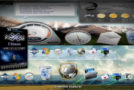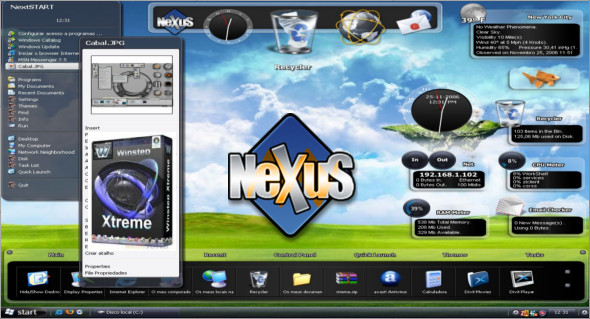
Winstep Xtreme is an alternative to the standard Windows shell with many useful features. After installing the package, you get several modules (NextSTART, WorkShelf, FontBrowser, NeXuS), each of which performs a specific task in the shell design and has its own unique set of features. You can also use Aero Glass.
Regarding the module model, NextSTART completely replaces the Start menu, taskbar, and system notification area (system tray), not only replacing them but also allowing you to use a large number of settings not found in standard Windows Explorer. The WorkShelf module is a desktop alternative, FontBrowser – Handy Font Viewer, NeXuS, and provides quick, multi-level access to frequently used applications.
Winstep Xtreme features:
– The complete change in appearance with themes
– Added new panels, widgets, and gadgets to the desktop
– Built-in utility for organization and cleaning » Start menu
– Unlimited flexibility and expansion of space on your desk
– Reduce clutter on your desk
– Adding Windows 7 taskbar to Windows XP or Vista
– Full support for multiple monitors
– Allows you to drag and drop icons in the WinStep bar installation explorer
– Support for PNG, TIFF and ICO files for icon panels
– The ability to use keyboard shortcuts
– Multilingual interface
Version : 20.10
Language : Multilingual (French included)
Size : 45.12 MB
Configuration:
– Windows (x32/x64 Bits): XP, Vista, 7, 8, 8.1, 10
Winstep Xtreme 20.10
This article was updated on September 18, 2021