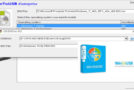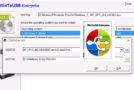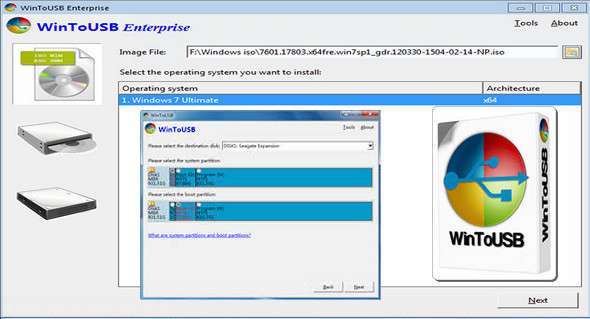
WinToUSB is the best Windows To Go creator that lets you install and run the Windows operating system on a USB hard drive or USB flash drive, using an ISO image or a CD/DVD drive as the installation source. Starting with version 2.0, you can clone your current Windows operating system installation (Windows 7 or later) to a USB drive as a Windows To Go workspace. WinToUSB also supports creating a bootable WinPE USB drive, allowing you to transfer WinPE contents to a USB drive and make it bootable.
The main features of WinToUSB
• Easy-to-use wizard interface that provides step-by-step instructions for creating a Windows To Go USB drive.
• Creating Windows To Go from an ISO image file or a CD/DVD drive.
• Clone an existing Windows operating system (Windows 7 or later) to a USB drive as a Windows To Go workspace.
• Using a non-enterprise edition of Windows 10 / 8.1 / 8 / 7 to create Windows To Go Workspace.
• Creating Windows To Go on an uncertified Windows To Go USB drive.
Additional features of the Enterprise edition
• Clone the current Windows operating system (Enterprise edition of Windows 10 / 8.1 / 8 / 7) to a USB drive as a Windows To Go workspace
• Clone the current Windows operating system, which, on a dynamic disk, connects to a USB drive as a Windows To Go workspace
• Clone the current Windows operating system on a USB drive (Windows To Go USB drive) to other USB drives as a Windows To Go workspace
IMPORTANT NOTES
• Windows 7 is not fully portable. You may encounter driver issues when booting it on different computers, so it is highly recommended to use Windows 10/8.1/8 to create a portable Windows installation.
• Windows 7 does not have USB 3.0 support, so Windows 7 must be booted from a USB 2.0 port.
• Standard USB flash drives are very slow. It takes a long time to install and run Windows from a common USB flash drive; it is highly recommended to use a USB hard drive, Windows To Go certified drives, or a SanDisk Extreme CZ80 USB 3.0 flash drive to create a portable Windows installation.
• Windows To Go drives can be booted on different computers, so you can take them anywhere and use them on any computer.
• You must be an administrator on the computer on which you install WinToUSB.
Version 3.8 (10/10/2017)
– Support for creating WinPE using the offline WinPE component package
– Prevent accidental formatting of data partitions
– Fixed other minor bugs
Configuration:
– Windows (x32/x64 Bits): XP, Vista, 7, 8, 8.1, 10
– Processor: 1 GHz
– RAM: 512 MB
– Disk space: 20 MB
Language Multilingual (including French)
Size : 9.1 MB
This article was updated on October 27, 2017