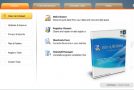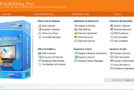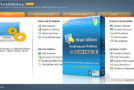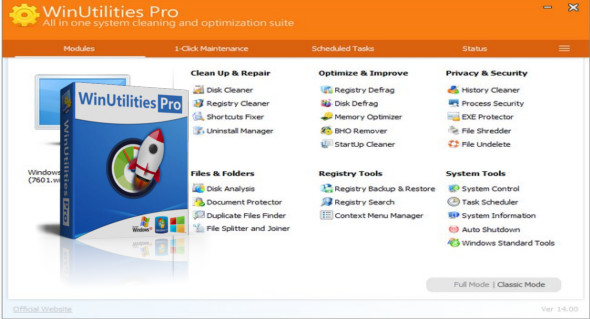
WinUtilities Pro is a comprehensive system performance and optimization suite for Microsoft Windows. This collection of tools allows you to boost your PC's performance, improve its security, and optimize its settings. It also lets you customize and personalize your screens. WinUtilities Pro provides an automated, all-in-one PC care service. This includes features for process security, registry correction, privacy protection, performance tuning, and system cleanup.
It also creates a superior and safer online experience with the latest surge protection technology and Internet Boost. This ensures optimal online security and maximum PC performance.
This system tuning suite includes over 20 tools to improve and enhance your PC's performance. WinUtilities Pro offers an attractive and user-friendly interface. It organizes all tasks into categories and provides graphical statistics whenever possible.
WinUtilities Main advantages:
– Disk defragmentation. Defragment your disks and improve computer performance and stability.
– Undelete file. Recovers deleted files on NTFS and FAT volumes.
– Disk cleaner. Cleans disks of information that clogs your system and reduces your computer's performance.
– Registry cleaner. Analyzes the Windows registry and finds incorrect or outdated information in the Windows registry.
– Startup cleaner. Helps you easily manage program execution when Windows starts.
– History cleaner. Erases all traces of activity on your computer, saves space and protects your privacy.
– File splitter. Divides any type of file into smaller pieces and rejoins them into the original file.
– File shredder. Erases files and ensures that no data thief can recover them.
– File Lock and EXE Protector. Protects any Windows executable file with a secure password.
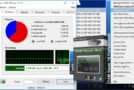
– Memory optimizer. Optimizes Windows memory management.
– Duplicate files. You help free up disk space by finding and deleting duplicate files from your system.
– Shortcut Fixer. Provides you with a simple way to address invalid shortcuts and report them so you can remove them from your system.
– Process manager. Allows you to check the performance of your system and manage ongoing processes.
– Uninstallation manager. Manages the programs installed on your system and uninstalls unnecessary software.
– System information. Shows you detailed information about your computer's hardware and software.
– Registry search. Searches the Windows registry using a specific wildcard character. Then you can delete or export them.
– BHO remover. Manages currently installed BHOs.
– Automatic shutdown. Schedules the disconnection, sleep, hibernation or shutdown of your computer at a specific time.
– System control. Organizes and manages your Windows settings.
– Task scheduler. Configures cleaning tasks.
What's new
* Updated database
* Improved translations
* Bug fixes
Configuration:
– Windows (x32/x64 Bits): XP, Vista, 7, 8, 8.1, 10
– Processor: 1 GHz
– RAM: 1 GB
– Disk space: 30 MB
Language : Multilingual (French included)
Size : 6.8 MB
This article was updated on March 12, 2018