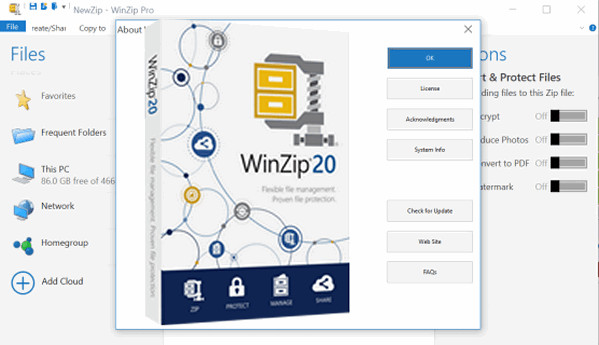
WinZip is the most widely used archiver in the world. This utility allows you to compress your documents in ZIP format. This compression standard will save you space on your hard drive. WinZip is also useful when downloading software, since most archives available on the internet are compressed in this format. But WinZip isn't limited to the simple ZIP format and can also extract the contents of HQX, CAB, TGZ, LZH, or ARC archives, for example.
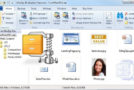
Easily find the files and folders stored on your computer, network and Cloud storage services that you use most often in the Frequent Folders area, which is updated dynamically.
New features in WinZip 20
– Direct access to frequently used files, networks, cloud, etc.
– File manager improvements
– Quick previews within compressed files
– Archiving from multiple sources (different folders on the computer)
– Creating and sharing scans, acquiring and sharing photos from the device
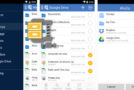
– Sharing options to YouTube, Facebook, Twitter and LinkedIn
Configuration:
Windows XP, Vista, 7, 8, 8.1, 10 (x86/x64)
CPU: 350 MHz or more
RAM: 128 MB
HDD: 15.4 MB
Facility:
1. Install WinZip 32 or 64
2. Launch REIS Patch (admin)
3. Click on Patch
4. Open Keygen 32 or 64 (admin)
5. Click button (…)
6. Search for winzip32.exe.mui or winzip64.exe.mui
7. Click on open
8. Choose license type (Standard, Pro, OEM, Photo or Backup)
9. Click on Factorize
10. Wait until Moduls (N) and Private Exponent (D) are displayed
11. Put whatever you want in the Name field.
12. Click on Generate
13. Copy/paste Name & Key into WinZip.
If you encounter a problem during activation, use this serial number:
Name: thiweb
S/N: X7M28-EQ6Z4-E1ANK-GHHMD-63H5Q-LXNEY
- Language: French
- Size: 149.41 MB
This article was updated on September 9, 2016