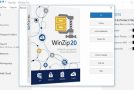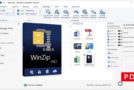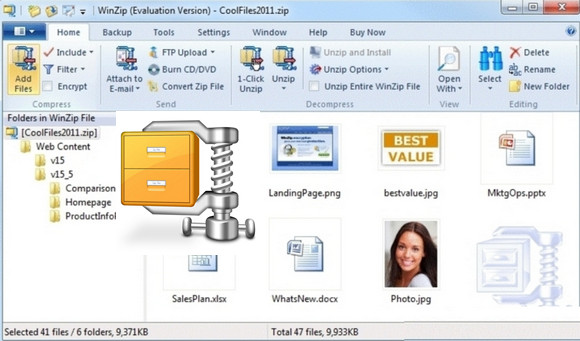
Corel, its publisher, opted to make WinZip a paid program, which inevitably led users to free, efficient, and open-source alternatives like 7-Zip. WinZip, however, has many advantages and remains one of the most powerful utilities dedicated to backing up and creating compressed archives.
The software still draws its strength from its pioneering reputation, a certain simplicity of use (less obvious as it is enriched with new features), as well as its ability to handle most popular archive formats.
To remain attractive and competitive, it offers many practical options along with some advanced features such as the ability to send archives to an FTP server or burn them directly from the application.
New features in WinZip 21.0:
MP3 compression
Store more music on your phone or via your cloud storage service, or easily share your playlists, with improved MP3 compression. WinZip 21 allows you to compress your MP3 files by an average of 15 to 20 % without any loss of quality, thanks to the enhanced Zipx format.
Access to all your accounts
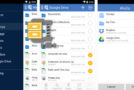
If you have work and personal accounts for the same cloud storage or instant messaging services, you can now add and access them all from within WinZip. No more logging in and out depending on which accounts you want to use. Add up to 16 accounts, give them unique names to distinguish them, and enjoy simplified access to your files for all services supported by WinZip 21.
Pro and Enterprise versions only.
Combined address book
Send your files by email and share them more easily directly from WinZip's internal messaging system with any of your contacts using the new combined address book. Add contact information from your email accounts, various social media services, and local contact directories, all without leaving WinZip to find the address you need.
Create individual Zip files for easier sharing
Sometimes you only need to access a single file within a large Zip archive containing multiple files. With WinZip 21, you can move selected files into individual Zip files with optional encryption. This means you no longer have to download an entire Zip file when using your phone to access files stored in cloud storage. You simply download the specific Zip file you need.
Function: Items to send?
Share all files or only selected ones you want to send using this helpful feature. After viewing or editing the contents of your Zip file and clicking Send Selected Files, you can choose to send the selected files individually or send the entire Zip file.
Share the converted files
Free up your workspace by sharing files without having to save them first. Previously, when using WinZip's conversion options, such as converting to PDF or adding watermarks, you had to replace the existing file or save the converted file, then search for, share, and delete it. Now, simply share the converted file via email, instant messaging, social media, or the clipboard, and the temporary file is deleted immediately after sharing.
Swipe the Files pane
Expand or collapse the Files pane simply by dragging it.
Adding a network location
You can now access a network location from another domain without leaving WinZip. Any network you have access to can be added to WinZip's Files pane, even if it's not included in the list of available networks in the Windows Network folder.
Displaying image information in the Preview pane
Get all the information you need about an image, directly in WinZip 21. Click the new Image Information button in the Preview pane to display a dialog box containing the height, width, pixels per inch, pixel depth/colors, file size, and other information.
Pro and Enterprise versions only
Configuration:
– Windows (x32/x64 Bits): Vista, 7, 8, 8.1, 10
– Processor: Pentium 1 GHz
– RAM: 512 MB
– Disk space: 200 MB
Facility :
1. Install winzip210fr-32 (Windows 32-bit) or winzip210fr-64 (Windows 64-bit)
2. Uncheck Launch WinZip
3. Launch wzg_kg (32-bit) or wzg_kg_x64 (64-bit) (as administrator)
4. Click on (…) (at the end of the first line), go to C:\Program Files\WinZip\fr-FR
then click on winzip32.exe.mui (32-bit) or winzip64.exe.mui (64-bit) then open
5. In the second line " License Type"Choose the version you want:
*SU_BAK = Backup Edition
*SU_IMG = Photo Edition
*SU_OEM = OEM Edition
*SU_PRO = Professional Edition
*SU_STD = Standard Edition
Then press on Factorize"
6. Wait for the next two lines " Moduls (N) " And " Private Exponent (D) display a result of numbers and letters.
Then in Name Enter the name you want and click on Generate.
7. Open WinZip and enter the name and key generated in the previous step.
- Language : French
- Size : 158.1 MB
This article was updated on October 26, 2016