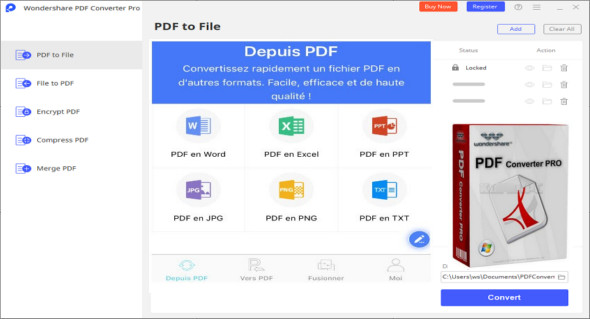
Wondershare PDF Converter Pro is a very powerful application for processing PDF files and converting them to DOC, XLS, PPT, HTML, TXT, EPUB and image (JPG, GIF, PNG, BMP, TIFF) file formats.
Wondershare PDF Converter is a powerful application for processing PDF documents, offering a comprehensive solution for handling DOC, XLS, PPT, HTML, TXT, and various other formats. This robust application supports the conversion of diverse PDF document types and provides a complete solution for batch processing documents, saving significant time when handling multiple documents. Drag-and-drop functionality allows users to easily add different documents.
With Wondershare PDF Converter Pro, you can convert image-based PDFs to text-based Word, Excel, PPT, HTML, and EPUB formats using OCR (Optical Character Recognition) technology. A variety of customizable settings are also available for a smoother conversion process. Furthermore, it allows users to easily check file size, file name, total number of pages, selected pages, and other parameters.
Features of Wondershare PDF Converter
– A powerful application for converting PDF documents
– Simple and straightforward application with explicit options
– Works perfectly with different types of PDF files and converts them
– Provides PDF conversion to DOC, XLS, PPT, HTML, EPUB, TXT and image file formats
– Drag-and-drop support for quickly adding documents to the application
– Batch processing support to save significant time when processing documents
– Check the name, total number of pages, size, and other project details
– Customize the background color, compression rate, images, and other settings
– A complete set of tools to produce accurate output.
Version : Pro 5.1.0.126
Language : English
Size : 64.38 MB
Configuration:
– Windows (x32/x64 Bits): 7, 8, 8.1, 10
Wondershare PDF Converter Pro 5.1.0.126
This article was updated on November 23, 2020