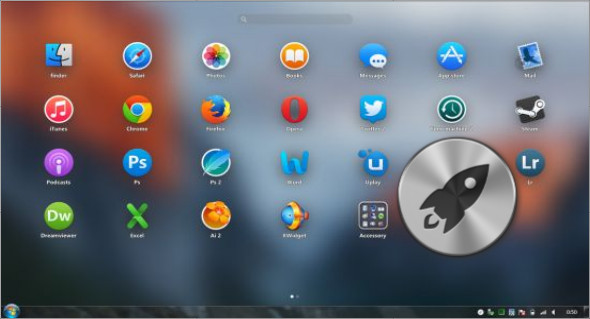
XLaunchpad is software that lets you organize icons in its own window, giving you instant access to shortcuts for programs or folders you frequently use. Simply drag one icon onto another to create a folder. You can name the folder whatever you like when you open it.
It's essential to have a utility like XLaunchpad, which can save you time and increase productivity by reducing the time you typically spend searching for a particular file or folder and giving you instant access. It's always present in the system tray, without interrupting your work. It's available when you need it, as a single click is all it takes to access the launcher.
By default, it includes shortcuts to common computer sections, such as the Control Panel, Recycle Bin, Internet Explorer, My Documents, My Computer, and Network Connections. Regarding customization, there are a few advantages to explore; you can modify its layout by adjusting the size of the icons, as well as setting the number of icons per row and the spacing between rows.
Configuration:
– Windows (x32/x64 Bits): XP, Vista, 7, 8, 8.1, 10
– Processor: 1 GHz
– RAM: 1 GB
Language : Multilingual (French included)
Size : 4.6 MB
This article was updated on September 7, 2018