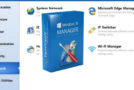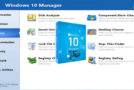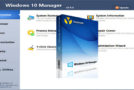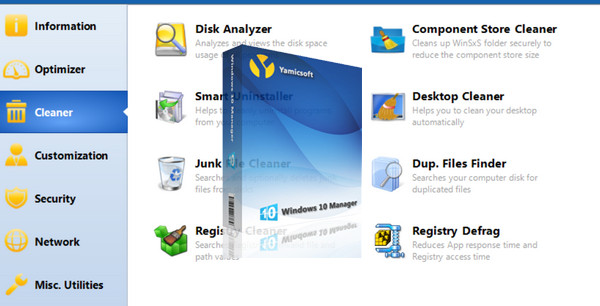
Windows 10 Manager is an all-in-one utility specifically for Windows 10. It includes more than forty different utilities to optimize, tune, clean, speed up, and repair your Windows 10, helping to make your system faster, eliminate system crashes, increase stability and security, and personalize your copy of Windows 10. It can meet all your expectations.
Information
Manually create system restore points; Get detailed information about your system and computer hardware, helps find Microsoft product keys such as Microsoft Windows and Microsoft Office; View and manage all running processes and tasks; The Repair Center helps diagnose and repair various system problems; Clean your system with a single click; The Optimization Wizard is convenient for those unfamiliar with computers.
Optimizer
Tune your system to improve performance and increase speed; Manage and configure the Windows startup menu according to your preferences; The Startup Manager controls all programs launched at Windows startup, checks and repairs advanced startup items to correct malicious changes caused by a virus; Manage and optimize system services and drivers to improve performance; Manage and optimize scheduled tasks to speed up your system.
Cleaner
Disk Analyzer can analyze and display the disk space used by each program, file, and folder, discovering which programs are hogging your disk space and visualizing it in a graph; Safely cleans the WinSxS folder to reduce the size of the component store; Smart Uninstaller can completely remove a program from your system without leaving any residual files or Registry entries; Helps you cleanly uninstall Windows applications from your computer; Desktop Cleaner can analyze and move unused shortcuts, files, and folders from the desktop to specified folders; Finds and removes unnecessary files to reclaim disk space and improve performance; Finds and removes duplicates to save disk space; Registry Cleaner searches the Registry to find and remove invalid items; Registry Defragmenter rebuilds and re-indexes your registry to reduce access time and thus improve application responsiveness and eliminate errors and corruption in the registry.
Customization
Customize your system settings to your preferences by configuring File Explorer, the Desktop, Startup, the Taskbar, and Notifications; Add files, folders, and system items to This PC and the Desktop; Pin files or folders to your desktop, taskbar, or Startup; Create quick launch items in the taskbar shortcut list; Manage the context menu that appears when you right-click on a file, folder, etc.; Edit the shortcut menu activated by right-clicking the Start button (Win + X shortcut); Customize the appearance of your system; Edit and add shortcuts that are executed in the Run dialog box; Adjust Windows applications and modern user interface settings.
Security
Configure the system, components, UAC (User Account Control), login settings, adjust various parameters, and restrict access to disks and programs to improve system security; Protect the security of your sensitive files and folders, encrypt your files, and move your system folders to a secure location; The Privacy Protector ensures confidentiality and keeps sensitive information safe by eliminating traces; The Deleted File Recoverer recovers and restores deleted or formatted files on logical drives; Lock down certain system features to improve security.
Network
Optimize and adjust your internet connection and network settings; Adjust Microsoft Edge browser settings; The IP address changer can easily switch between different network settings; Edit hosts files to speed up internet browsing; The Wi-Fi manager can view and manage your entire wireless network.
Various utilities
Create scheduled tasks and control what triggers them; View and run the collection of handy utilities built into Windows; Split a file into several smaller files or merge them like the original file; Super Copy is a powerful tool for copying files or backing up automatically; Easily manipulate your Registry using Registry Tools.
Configuration:
– 2.00 GHz processor or higher
– 512 MB of RAM
– 100 MB of available disk space
Facility:
Simply launch the file of your choice:
1- ClickCleanerPortable.exe * for easy one-click cleaning.
Or
Windows10ManagerPortable.exe * to access the forty or so utilities.
- Language: Multilingual (French included)
- Size: 46.9 MB
This article was updated on September 29, 2016