There are many video download programs available, but few can match YTD Video Downloader PRO. YTD Video Downloader is simply an excellent solution for saving your favorite videos, whether they come from YouTube or other streaming video sites.
Copy and paste the URLs
When you install YTD Video Downloader, the software will suggest other programs, but you can easily decline this option by clicking "No." The installation process is then very quick. Once complete, YTD Video Downloader launches automatically. The interface is quite intuitive. As soon as you copy the web address of a video clip to your clipboard, it detects it and pastes it into the URL field. You can then download it in high definition at 1080p, or in a lower quality. Simply click the large red "Download" button at the bottom of the window: YTD Video Downloader will start the download instantly.
Convert to multiple formats
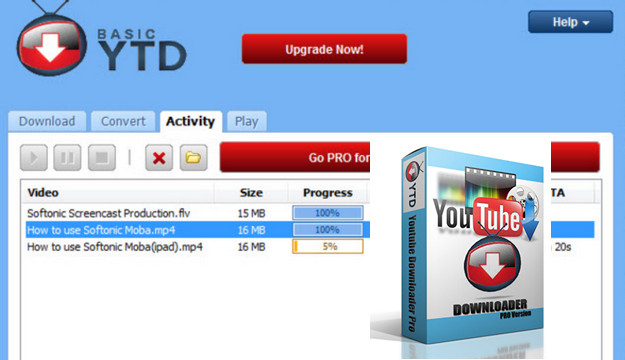
The Activity window displays the status of your downloads. According to our tests, a three-minute video takes approximately one minute to download. You can then play the downloaded video from the Activity tab, or from the Play tab. In the Activity tab, a context menu (which appears when you right-click) offers the option to play the video from YTD or your default player, as well as to delete the video, pause or stop it, rename it, etc.
Furthermore, you can convert downloaded videos, with presets for iPod, iPad, MP4, Windows Media, etc. It's also possible to download and convert simultaneously. Conversions take approximately the same amount of time as downloading.
Incidentally, you can add as many videos to download and convert as you like by placing them in the YTD Video Downloader queue. Then, simply watch the software do the work.
Minimum Configuration
– Microsoft Windows XP, Vista, 7, 8, 8.1, 10 versions 32 & 64 bits
– CPU: At least 500 MHz
– RAM: At least 512 MB
Facility:
1) Stop the application if it is running
* Uninstall the version currently installed on your machine
2) Install the application using the "YTDsetup" installation file and do not restart (Uncheck the "Launch YTD Downloader now" box and click "Done", the window closes...).
Important During installation, you can change the installation folder (optional, but not required), and it is essential to click "decline" twice to avoid installing the various unnecessary and potentially harmful options offered by this installation.
3) Go to the "YTD Patch" folder and copy/paste the "Patch" file into the installation folder, usually C:/Program Files/"green tree application"/YTD Video Downloader
4) Open the "Patch" folder and click the Patch button. It will likely ask you to browse for the file to patch; click "Yes" and locate the "ytd.exe" file.
- Language: French / English / Multilingual
- Size: 9.91 MB
This article was updated on July 14, 2024