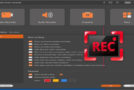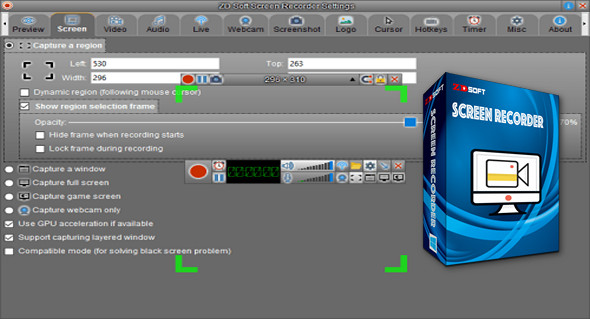
ZD Soft Screen Recorder is a high-performance screen recording program. It works like a camcorder and can record many things in real time, including the computer screen.
Record high-quality videos, pixel by pixel, 100% true color reproduction, without interference, shaking, or noise; it can only record sound from your machine.
In addition, with many auxiliary features, ZD Soft Screen Recorder is capable of handling different types of screen recording tasks such as creating software demos, capturing online video, recording PC games, live streaming, etc.
ZD Soft Screen Recorder uses the most popular H.264 and AAC codecs for real-time video/audio encoding, eliminating intermediate files and extending recording time. ZD Soft Screen Recorder produces compressed audio and video files in numerous formats.
List of features:
– The easy-to-use, wizard-based user interface allows you to get started quickly.
– The easy-to-adjust recording box allows for quick definition of the recording area.
– Real-time video compression allows for unlimited recording time.
– Arbitrary video resolutions and frame rates are supported.
– Smooth recording without delay from your system.
– Fully optimized for modern dual/quad-core processors.
– AVI and WMV output formats are supported.
– Perfect audio/video synchronization.
– Capable of automatically starting/stopping a recording via a programmed timer.
– Capable of capturing OpenGL, DirectDraw, Direct3D 10/08/10/11 rendered screen content.
– Capable of capturing multiple audio sources at the same time, for example both speaker and microphone.
– Capable of capturing what you hear, even if no "Stereo Mix" is available.
– Capable of capturing screenshots via a shortcut.
– Capable of capturing a multi-monitor screen.
– Capable of displaying the FPS number on the PC game screen
Configuration:
– Windows (x32/x64 Bits): XP, Vista, 7, 8, 8.1, 10
– Processor: 1 GHz
– RAM: 512 MB
– Disk space: 1 GB
Facility :
1. Install the program ScnRec.exe
2. Enter the key that is located in the file serial.txt
Portable version
1. Run the portable file\ScnRec_Portable.exe
2. Enter the key that is located in the file serial.txt
Language Multilingual (French included)
Size : 13.1 MB
This article was updated on April 16, 2017