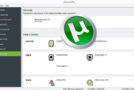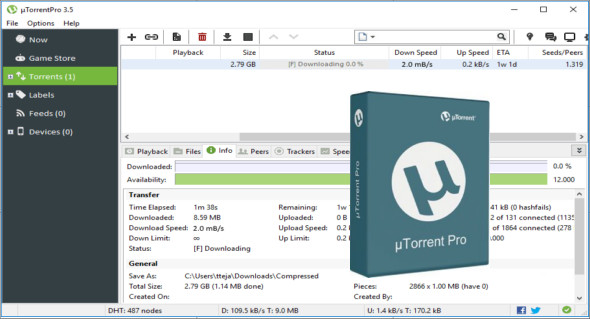
uTorrent is a software for sharing files using P2P technology in the BitTorrent file-sharing network. The software allows you to download multiple files at once, has customizable bandwidth, fast restoration of interrupted downloads, and more.
μTorrent is one of the most popular BitTorrent clients, with many features such as bandwidth prioritization, RSS auto-downloading, scheduling, and Mainline DHT (compatible with BitComet, another well-known BitTorrent client), a common protocol specification for encryption.
One of the best uTorrent programs has become a practical, well-designed, and very user-friendly interface with a quick response to user actions. It supports all the necessary functions for operation on a BitTorrent P2P network.
Features:
– Multiple simultaneous downloads
– Configurable bandwidth scheduler
– Overall speed limits and limits per torrent
– Transfers interrupted, to be resumed quickly
– RSS Downloader
– uTorrent supports parallel loading.
– Rational use of bandwidth and allows you to customize it.
– uTorrent's integrated scheduler manages the tasks.
– uTorrent has the ability to set traffic priority and adjust speed.
– It has a quick stop and resume function for downloads.
– uTorrent supports UPnP and NAT-PMP, as well as popular protocol extensions.
– It has low memory consumption and a small program size.
– Supports reading RSS feeds and downloading torrent ads.
– Interacts with other clients without needing the main tracker (DHT).
– uTorrent supports the encryption protocol.
– The uTorrent interface has added support for edit order and the ability to translate into other languages.
– In uTorrent, remote control is integrated via the HTTP protocol, using the Web interface (WebUI).
– uTorrent works in all versions of Windows OS.
– It is also possible to use uTorrent under Linux using Wine.
What's new ?
* Speculative correction for recovery data not saved during shutdown
* Prevent a crash when the Android client connects via Remote after canceling a connection request
* Use more generic labeling in the Device Pairing dialog box. Adjust the dialog box dimensions for a better fit.
* Remove special processing from the RSS toolbar. Add a feed icon.
* Remove a legacy string formatting code
* Remove the addtorrent button integration. Now available in the help menu
* Fixed a potential crash during association verification
* Add a GDPR consent dialog box
Migrate the new settings to the privacy preferences page, and add the "Forget Me" button.
* Do not break the file path when calculating an open directory path
* Allow administrator-administered remote devices to request remote configuration actions
Configuration:
– Windows (x32/x64 Bits): XP, Vista, 7, 8, 8.1, 10
– Processor: 1 GHz
– RAM: 1 GB
Language : Multilingual (French included)
Size : 21.5 MB
This article was updated on July 14, 2018