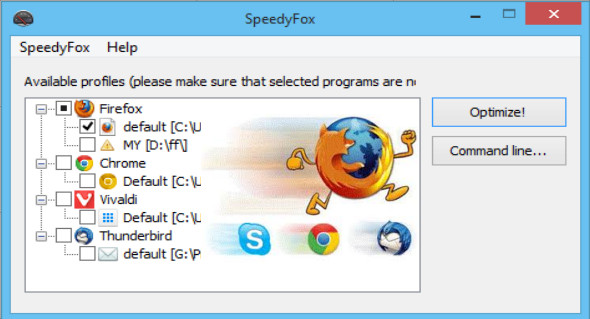
SpeedyFox is a small application that lets you speed up and boost web browsers and other software like Firefox, Opera, Skype, Chrome, and Thunderbird with a single click. SpeedyFox compacts browser databases without data loss. The SQLite databases used to store browser settings are optimized for faster operation.
The optimization process can take from 5 minutes to an hour, depending on the size of your databases. The entire optimization process is safe, as it does not affect your history, bookmarks, passwords, etc.
You will get a startup speed 3 times faster, browsing history will become faster and operations with cookies will be faster than before.
Without any installation, SpeedyFox automatically detects your default Firefox profile. If you have multiple profiles, you can select the one you want to optimize from the dropdown menu. If you have a portable version of Firefox, choose your profile manually by selecting the "Custom…" profile. All you have to do is press the Speed Up Firefox button.
Supported programs
Firefox, Chrome, Chromium, Skype, Thunderbird, Opera, Vivaldi, Yandex Browser, Epic Privacy Browser, Cyberfox, FossaMail, Viber for Windows, Slimjet Browser, Pale Moon, SeaMonkey
What's new?
* Improvement — SQLite engine updated to version 3.23.1
* Correction — Command line issue
Configuration:
– Windows (x32/x64 Bits): XP, Vista, 7, 8, 8.1, 10
– Processor: 1 GHz
– RAM: 1 GB
– Disk space: 2 MB
Language : English
Size : 1.4 MB
This article was updated on April 24, 2018