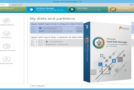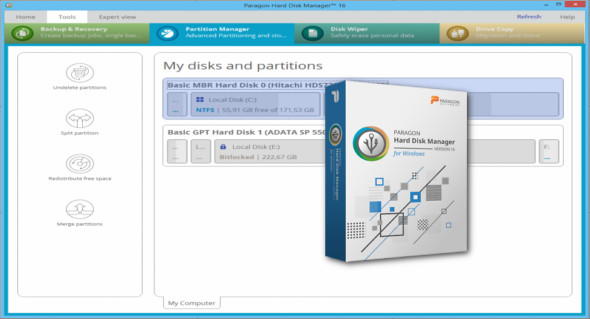
Paragon Hard Disk Manager (HDM), 25 years of practical experience in system software to keep your data healthy and secure.
Data security made easy for both beginners and experts
– Organize your disks, ensure the capacity and performance of your storage media
– Transfer systems on the fly, use physical and virtual devices at will
– Use a professional-grade backup to secure systems, applications, and data
– Stay operational at all times thanks to built-in safe boot correction and system recovery
What's new in Paragon Hard Disk Manager 16?
Novice users
"Complex" doesn't necessarily mean "difficult." The assistants will guide you through all the necessary steps to complete the most common tasks, such as setting up a new computer, replacing an old mechanical hard drive with a new, fast SSD, recovering your system in case of failure or malware activity, and more.
Expert users
Expert users can exploit more sophisticated scenarios and invoke specialized tools offering total control over specific tasks.
Protected mode
By using protected mode, which is enabled by default. In this mode, everything you want to do is first placed in a queue, with changes applied only after user approval. You don't need to wait for an operation to finish before moving on to the next, as some operations can take time. More importantly, you can go back one step at a time if there's a problem or to undo changes already made.
Paragon Recovery Media Builder
The Hard Drive Manager also comes with a full-fledged Paragon Recovery Media Builder to help fix most boot problems that can occur as a result of logical errors, hardware malfunctions, or failures. Furthermore, if your system is corrupted or compromised—including problems caused by malware or ransomware—you'll be able to quickly restore your system and applications to full functionality with minimal data loss.
Resize partitions on the fly
Is your internal drive running out of available disk space? This dilemma often arises when you have multiple partitions to support different systems and data types. With Hard Disk Manager, you can resize partitions on the fly to optimize available storage capacity.
Clean the media
When disposing of an old computer, it's a good idea to erase personal data first. You can also choose to clean only the unused space (in which case deleted files can always be recovered), while keeping your important data intact.
Live transfer of your systems and data
Let's say you want to replace your old hard disk drive (HDD) with a new solid-state drive (SSD). With Hard Disk Manager, you simply choose where you want Windows to be, and it's ready to go. You can even continue working on your system while Windows is being moved! No manual operation or restart is required—just switch over when you're ready.
Advanced features:
– Basic partitioning
– Advanced Partitioning
– Disk cleaning
– Data migration
– Backup and restore
– Backup automation
– Recovery Media Builder
Configuration:
– Windows (x32/x64 Bits): XP, Vista, 7, 8, 8.1, 10
– Processor: 1 GHz
– RAM: 1 GB
Language : English
Size : 291.8 MB
This article was updated on June 24, 2018