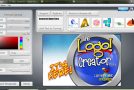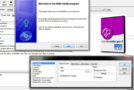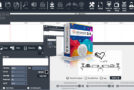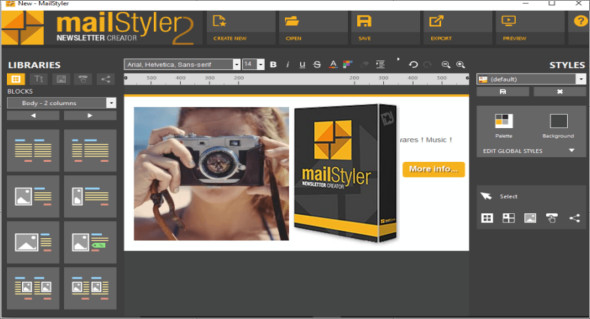
MailStyler, the only drag-and-drop editor that lets you create a newsletter dynamically, interactively, and incredibly quickly. The new version of MailStyler includes powerful new features designed to make creating your newsletters easier.
Create
Choose from default or custom elements and drop them into your workspace. Building your newsletter has never been easier.
Personalize
Change the colors, images, and layout of the content. Work like a professional graphic designer with a highly intuitive and user-friendly dashboard.
Export
Save your newsletter and export it to your preferred email marketing programs. Your files will always be lightweight with a flawless design in every email client.
Revolutionary dynamic image management
Reposition and resize your images directly in your newsletter. Forget third-party software. Adjust your photos in a dynamic, real-time dashboard and choose the result you prefer.
Fully customizable blocks
Create your newsletter with the new, useful, customizable pre-designed blocks! Your changes will be automatically generated in HTML code with inline CSS styling to ensure your newsletters always display perfectly.
Graphic effects for text
Create your banners and ads directly with MailStyler! Thanks to new graphic effects for text, you can apply predefined styles and designs created for you by top graphic design experts. Unleash your imagination and combine images and text in seconds like a true pro.
Customizable social icons
Customize your social icons in just a few clicks. Change the colors, size, or shape and perfectly match them with your newsletter design.
Registering your items
Each customized item can be saved to your personal library. You can reuse them whenever you need them.
Resize the spaces
Freely resize your newsletter and columns. MailStyler will automatically reorganize all the content, keeping your newsletter neat and balanced.
Predefined styles
Apply beautiful pre-designed styles to your newsletter. With the handy preview tool, you can see the colors and final look in advance.
What can you do?
– Insert images, icons and elements into predefined blocks.
– Merge or split multiple cells and adjust spacing and sizes.
– Add predefined graphic styles to texts.
– Overlay text on images to create dynamic banners.
– Play with transparency and opacity on the photos and text.
– Copy the style of one cell or block into another cell or block.
– Export templates in PDF format.
– Take advantage of advanced social icon management.
– Optimize PNG files during export.
Configuration:
– Windows (x32/x64 Bits): Vista, 7, 8, 8.1, 10
– Processor: 1 GHz
– RAM: 1 GB
Language : Multilingual
Size : 122.3 MB
This article was updated on June 27, 2018