
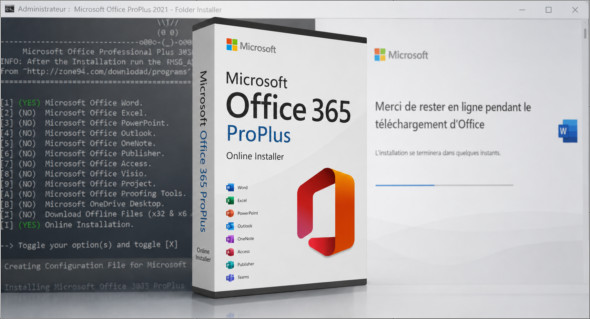
Microsoft Office 365 ProPlus Online Installer is a small script that allows you to download and install Microsoft Office Professional Plus directly from Microsoft CDN servers. It retrieves the latest Office files available online, resulting in a clean, up-to-date, and fast installation without the need for a large file. ISO office.
This tool is convenient for users who want to easily install Office on Windows. It allows you to include multiple applications as needed, such as Word, Excel, PowerPoint, Outlook, OneNote, Publisher, Access, Visio, Project, Proofing Tools, and OneDrive Desktop. You can also use Office 2013-2021 C2R Install to more easily manage the installation of Office Click-to-Run versions.
Software included in Online Installer
Word, Excel, PowerPoint, Outlook, OneNote, Publisher, Access, Visio, Project, Proofing Tools and OneDrive Desktop.
How to use the Microsoft Office 365 ProPlus Online Installer?
- Extract the downloaded ZIP archive file.
- Ouvrez le dossier extrait. (Mot de passe: 123)
- Launch the Office Setup.cmd file.
- Follow the instructions displayed on the screen.
- Please wait while Office is being downloaded and installed.
Conclusion
In summary, Microsoft Office 365 ProPlus Online Installer This is a lightweight and convenient solution for installing Microsoft Office Professional Plus with the latest updates from Microsoft servers. It is suitable for users who want a simple, fast, and customizable installation.
Version : 3.3.16
Language : English (MS Office: Multilingual)
Size : 3.11 MB
Configuration:
– Windows (x32/x64 Bits): 10, 11
Télcharger Microsoft Office 365 ProPlus Online Installer v3.3.16
Cet article a été mis à jour le 12 August 2026