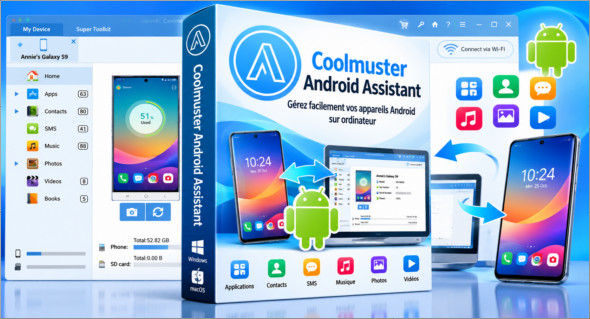
Coolmuster Android Assistant is fully capable of handling Android media, contacts, SMS, apps, and more, all in one place on your PC! It has all the features you need for managing your Android devices. You can also use AppTrans Pro.
Coolmuster Android Assistant lets you export videos, photos, music, contacts, SMS messages, apps, and more from an Android phone or tablet, freeing up space on your Android device for new files. Additionally, you can restore your Android phone from selected files or all backed-up files with a single click.
This Android management software allows you to send and reply to SMS messages on your computer and send group texts simultaneously, saving you considerable time. Furthermore, you can add new contacts, delete unwanted contacts, edit existing contacts, and easily duplicate contacts on your computer.
Coolmuster Android Assistant will be your indispensable tool, as it has all the powerful functions that allow you to fully enjoy entertainment on the go.
– Instantly download and install your favorite apps on your computer and export them to your Android SD card with a single click. You can back up all or selected apps from your Android device to your computer or quickly uninstall unwanted apps from your computer.
– Want to enjoy your media files anytime, anywhere? Android Assistant helps you transfer your music, photos, and videos from your computer to your Android phone without any problems.
Read-only and compatible with all Android brands!
After multiple tests, the Android assistant can be proven to be 100% secure and works well on almost all popular Android phones and tablets.
– A wide range of Android brands are supported by this Android management tool, including HTC, Samsung, Motorola, Sony, ZTE, LG, HUAWEI, Dell and many others.
– 100% safe % application. Performs READ-ONLY operations to avoid causing damage to Android data and your computer.
Version : 6.4.56 /Portable: 6.1.60
Language : Multilingual (French included)
Size : 24.14 Mo /Portable: 29.47 Mo
Configuration:
– Windows (x32/x64 Bits): 7, 8, 10, 11
Download Coolmuster Android Assistant v6.4.56
Download Coolmuster Android Assistant Portable v6.1.60
Cet article a été mis à jour le 22 October 2026