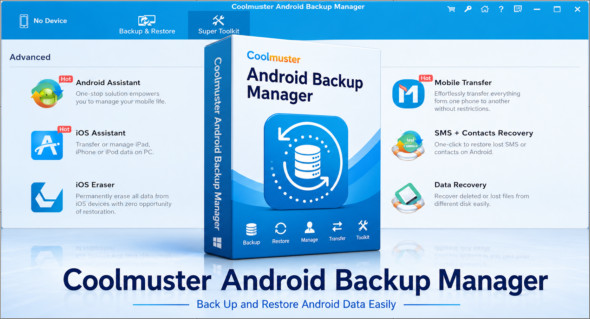
Coolmuster Android Backup Manager This Windows software is designed to easily back up and restore data from an Android smartphone or tablet. It protects important files such as contacts, SMS messages, call logs, photos, music, videos, documents, and user applications. In case of a malfunction, phone change, factory reset, or data loss, this tool offers a simple solution to create a complete backup on your PC and then restore it later to the same device or a new Android phone.
One of the main advantages of Coolmuster Android Backup Manager is its ease of use. Backup and restore can be performed with a single click, without requiring any special technical skills. Users can choose to back up all data or only specific file types, define the storage location on their computer, and monitor the progress of the operation. Note that there is also Coolmuster Android Assistant, available here: https://www.trucnet.com/coolmuster-android-assistant/
Key features of Coolmuster Android Backup Manager
One-click Android backup The software allows you to quickly back up Android data to a computer. It supports several file categories, including contacts, messages, calls, photos, music, videos, documents, and applications.
One-click Android restore Coolmuster Android Backup Manager can scan and display available backups on the PC. The user can then select the desired backup file and restore only the necessary data types to a connected Android device.
Personalized catering If a backup does not appear in the list, it is possible to manually add a backup folder from your computer. Furthermore, data already present on the phone is not deleted unless the user specifically chooses the option to erase before restoring.
USB or Wi-Fi connection The program offers two connection methods. The USB connection provides stable and fast transmission, while the Wi-Fi connection allows data to be saved or restored wirelessly by simply scanning a QR code.
Extended compatibility Coolmuster Android Backup Manager works with many Android smartphones and tablets, including Samsung, Huawei, Xiaomi, HTC, LG, Sony, Motorola, Google Nexus, ZTE, Dell and other brands.
Respect for personal data The tool operates in read-only mode to prevent damage or modification of Android data during backup. It is also lightweight, ad-free, fast, and capable of managing multiple Android devices.
In summary, Coolmuster Android Backup Manager is a practical solution for backing up and restoring Android data from a PC. With one-click backup, custom restore options, USB or Wi-Fi connectivity, and support for numerous file types, it provides a reliable tool for securing mobile data and facilitating transfer to a new Android device.
Version : 3.5.33
Language : Multilingual (French included)
Size : 21.55 MB
Configuration:
– Windows (x32/x64 Bits): 7, 8, 8.1, 10, 11
Download Coolmuster Android Backup Manager v3.5.33
This article was updated on June 2, 2026