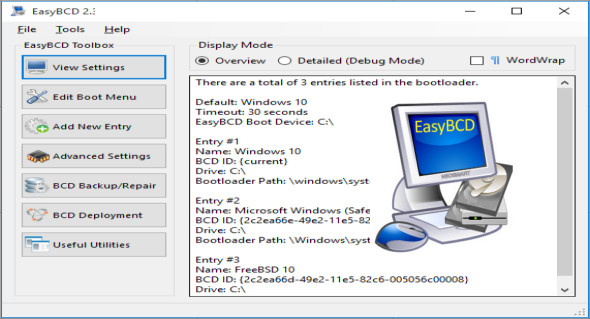
EasyBCD is a powerful bootloader modification tool; the tool allows you to modify the boot menu and add new entries or change settings; it can perform complex tasks and applications ranging from basic to advanced and customizable functions.
EasyBCD can back up and repair the BCD, with the ability to reset its configuration, recreate boot files, or move them to another bootable device. The program also includes a tool to automate the creation of bootable media, enabling booting from a network or USB drive on a computer.
Start the systems. Windows, Linux, Mac and BSD. Boot from USB drives, ISO images, virtual disks, etc.
Boot anywhere. Create bootable USB drives with repair utilities that you can take with you everywhere.
Protects against disaster. Create entries to boot into recovery utilities or safe mode.
Management. Add, rename, delete, configure and rearrange entries.
Solving problems. Use EasyBCD to troubleshoot Windows, back up and repair boot processes, etc.
Configuration :
– Windows (x32/x64 Bits): XP, Vista, 7, 8, 8.1, 10
– Processor: 1 GHz
– RAM: 1 GB
Language : Multilingual (French included)
Size : 2.2 MB
This article was updated on November 29, 2018