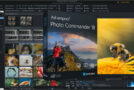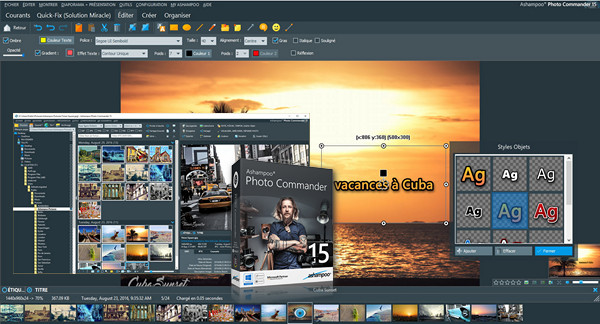
Ashampoo Photo Commander 15 innovates with geolocation and a new presentation mode.
Sort your photos by location or add this information manually with the greatest of ease.
The program will then extract the country, city and street information.
Control your slideshows on your PC and view the slides on an external screen or video projector.
New effects and seamless transition animations will help you deliver perfection.
Enjoy over 50 new features and improvements across all areas.
Some of the advantages:
– Ready-made and individually customizable greeting cards, web albums and calendars
– Convert your GPS data from JPEG and RAW images into concrete locations
– Filter photos by country, city, street, or even street number.
– Fascinating design tools for maximum creativity
– Cut out people and objects with the greatest ease in the world
– Ready-made and individually customizable greeting cards, web albums and calendars
– Over 60 stunning effects
Keep your collection perfectly organized:
As your library continues to grow, it becomes increasingly difficult to keep track of each of your photos.
The numerous filtering and categorization parameters will help you sift through your library based on location, date, format, or classification.
Sort your photos chronologically, thematically, or based on individual criteria and structure your photo collection even better.
The power of geolocation:
Modern cell phones and cameras use geolocation to store data about where each photo was taken.
Not only is Ashampoo Photo Commander 15 capable of processing this data, but it will also convert longitudes and latitudes into usable addresses.
Holiday, family, or work photos are now more accessible than ever before.
Add and use geolocation:
Your images don't have geotags? – No problem!
Create them yourself for any number of photos, no expert knowledge required.
Simply enter the location or address and the matter is settled.
From now on, Photo Commander can filter your images based on location and help you find exactly what you are looking for, regardless of the size of your collection.
Or navigate through your vacation photos with your recent trip as a reference, from beginning to end.
Present it perfectly:
Whether you enjoy your photos for yourself or with friends, you'll love the new presentation mode.
Use your main screen to control the feed and your secondary screen to display your photos!
It's also great in the case of video projectors; edit your photos in real time without leaving the presentation.
Coupled with the new seamless animations, you can now add a powerful presentation tool to your arsenal.
Image editing:
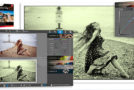
Easily cut out people or objects, or correct red-eye and image defects in just a few clicks.
Change the perspective of your photos, experiment with surprising effects, or discover the professional side of this program with gradient curves and tonal corrections. Everything you could want, everything you need.
Configuration:
– Windows (x32/x64 Bits): XP, Vista, 7, 8, 8.1, 10
– Processor: 3GHz
– RAM: 1 GB
– Disk space: 1 GB
– Microsoft Visual C++ 2013 x86 Redistributable
- Language : Multilingual (French included)
- Size : 319.7 MB / 569.8 MB (Portable)
INSTALLABLE VERSION
PORTABLE VERSION
This article was updated on April 22, 2020