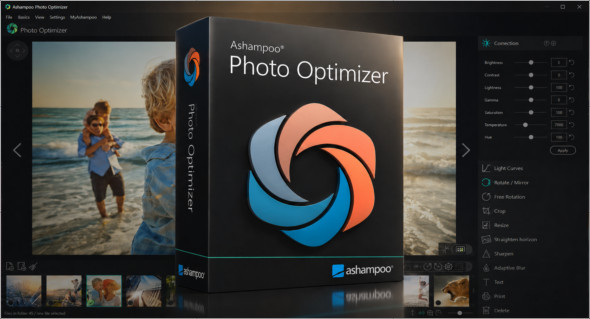
With Ashampoo Photo Optimizer software, you can analyze each image in depth to detect potential flaws and easily correct them using advanced tools and technology. This allows you to export high-quality photos in terms of color, light, clarity, and more. Ashampoo Photo Optimizer is an application that anyone can use, and even beginners can operate it with ease. You can also use Ashampoo Video Optimizer Pro.
It has a very well-organized and clean interface and features a browser-based layout that helps you easily locate your photos. Ashampoo Photo Optimizer allows you to perform basic editing operations such as cropping unwanted parts of your photos, rotating them to any angle, removing red-eye and whitening, applying watermarks, and adjusting color levels. You can also set the application to automatically optimize your photos.
Main features of Ashampoo Photo Optimizer
Automatic photo optimization : quickly improves images with one click by automatically adjusting brightness, contrast, color, and sharpness.
Color correction : allows you to make photos look more natural, more balanced and more visually appealing.
Adjusting brightness and contrast : corrects images that are too dark, too bright or faded in order to obtain a better rendering.
Improved sharpness : makes details more visible and gives photos a cleaner look.
Quick and easy touch-up : the interface is designed for users who want to improve their photos without advanced image editing skills.
Batch processing : allows you to optimize several photos at the same time, which saves time when processing large collections.
Cropping and rotating : offers practical tools to adjust framing, straighten or rotate images.
Manual effects and adjustments : offers options to customize the final output according to the desired style.
Clear interface : the main functions are easy to find, making the software accessible to beginners.
Time saving : ideal for quickly improving holiday photos, portraits, product images or visuals intended for the web.
Conclusion
In conclusion, Ashampoo Photo Optimizer is a simple and effective solution for quickly improving photo quality without complex adjustments. Thanks to its automatic optimization tools, color correction, contrast, brightness, and sharpness adjustments, it allows you to obtain cleaner and more balanced images in just a few clicks. It's a practical software for users who want to easily retouch their photos, save time, and achieve a more professional result without needing advanced photo editing skills.
Version : 26.0.4
Language : Multilingual (French included)
Size : 259.89 MB / Laptop: 240.39 MB
Configuration:
– Windows (x64 Bits): 7, 8, 10, 11
Download Ashampoo Photo Optimizer v26.0.4
Download Ashampoo Photo Optimizer Portable v26.0.4
This article was updated on June 9, 2026