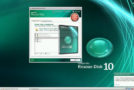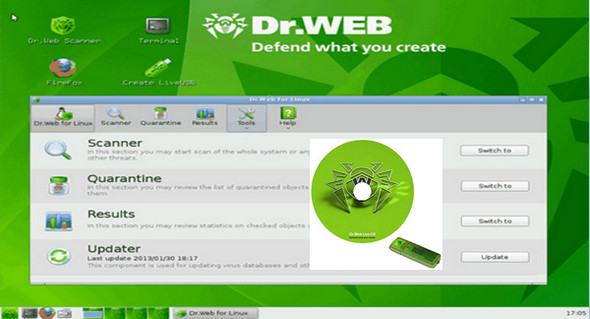
Dr.Web LiveDisk is a useful tool for scanning your computer for viruses even if you are experiencing problems starting the operating system.
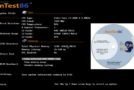
Dr.Web LiveDisk is a bootable disk designed to help you remove viruses and other harmful files from your computer. It allows you to use removal tools directly after booting and bypass the problems caused by the virus attack. If your computer has been infected by a virus and you are experiencing problems starting the operating system, this disk can help. It allows you to launch a simpler interface that provides access to the internet and, more importantly, an antivirus system.
The Control Center allows you to scan your hard drive to detect the source of infection and infected files. The scanner can be configured to scan the entire hard drive or to select folders or files that you deem suspicious.
Before running the scanner, it is recommended to connect to the internet and ensure your virus definition files are up to date. The included update program can retrieve the latest version and install it with a single click.
The antivirus can be configured to automatically delete detected files or use quarantine to store them in a secure location. It also includes an exclusion list and a scheduler for setting up regular scans.
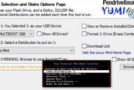
The LiveDisk menu allows you to create a LiveUSB drive to boot your computer and perform repairs. This bootable USB storage device can save time and offers similar recovery capabilities.
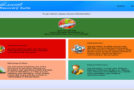
The program's interface is easy to understand and offers quick access to important recovery functions.
New in version
Update the antivirus database (15/02/2017)
Configuration:
– Windows (x32/x64 Bits): XP, Vista, 7, 8, 8.1, 10
– Processor: 1 GHz
– RAM: 512 MB
– Disk space: 1 GB
Facility :
1. Plug in your USB drive (minimum 2GB) and launch the file drweb-livedisk-900-usb.exe and follow the steps.
2. Restart your PC to begin using the program.
* Don't forget to go into the BIOS to specify that the USB device should be first in the boot order.
Language Multilingual (French included)
Size : 609.0 MB
This article was updated on February 27, 2017