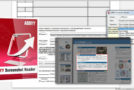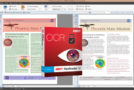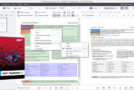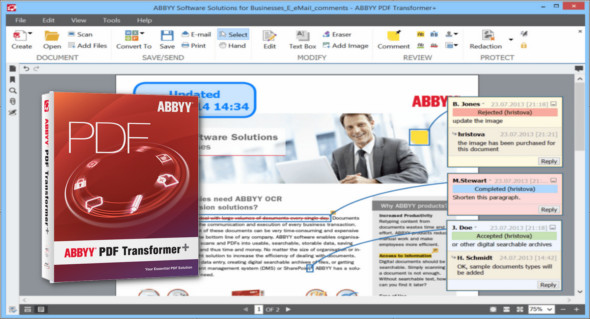
ABBYY PDF Transformer+ is a user-friendly and versatile software that allows you to create, edit, annotate, and convert PDF files into other editable formats such as DOCX and XLSX. ABBYY PDF Transformer+ can convert paper documents into searchable PDFs, merge files of different formats into a single PDF document, add or delete pages from a document and change their order, or edit text and copy images and text from PDF files to other applications—all without needing to convert PDF documents into an editable format.
Extract and convert:
• Convert to editable formats. Easily convert PDF documents, including scanned PDFs, to editable formats such as Microsoft Word, Excel, and OpenOffice Writer, preserving the original formatting and layout. PDF Transformer+ software is based on ABBYY's award-winning OCR technology, which delivers text recognition and PDF conversion accuracy up to 99.8%.
• Extract and quote text. Copy and paste text from a PDF file into any application without losing the original formatting. ABBYY PDF Transformer+ lets you effortlessly convert paper documents to electronic text—simply scan them directly to PDF, without any extra steps.
• Benefit from comprehensive language support. Thanks to ABBYY OCR technology and exceptional language support, you can efficiently convert and reuse documents in 189 languages, regardless of the combination.
Create and merge:
• Scan to searchable PDF format. Scan your paper document and create easily reusable or searchable PDF files, thanks to ABBYY OCR technology and its ability to accurately extract text from images.
• Create a PDF. Create PDFs from Microsoft Word, Excel, PowerPoint, Visio, Apache OpenOffice, or any application with a print function to share with others and protect them with a password to define access rights. Save time by creating multiple PDF files simultaneously.
• Create a PDF from multiple files. Quickly merge documents of different file formats into a single PDF. You can rearrange the pages of the newly created PDF document and delete or add new pages.
Review and commentary:
• Comment and annotate. Collaborate with colleagues when creating or reviewing PDF documents: Use convenient commenting and annotation tools, such as sticky notes, strikethrough, underlining, adding text, and highlighting to mark text or comments. A separate comments section provides a clear overview of the document's comments and annotations. You can search and sort by author, date, and status.
• Assign document approval status. Make discussing and approving PDF documents more efficient and transparent by assigning statuses such as "Accepted," "Rejected," "Cancelled," or "Completed" to comments. You can even mark your PDF document with "Approved," "Under Review," or another custom stamp to suit your internal approval processes.
• Save time with powerful search. Quickly search for a keyword or phrase within the text, comments, and metadata. Use "Search and Highlight" to find all occurrences of a word in a document and automatically highlight them.
Edit and Correct:
• Correct typos and make minor text edits. Intuitive editing tools let you make minor changes or replace text in any PDF document, including scanned PDFs.
• Insert and delete text or images. Adjust the text font and background color of text boxes to match the original document styles. Quickly delete text or images from PDF documents via Edit mode using the context menu or the Eraser tool.
• “Juggling” with pages. Organize the pages of your PDF documents as you wish: add, delete, replace, switch left and right orientations or create a blank page to add background information.
• Work with simple or scanned PDF forms. Use the Text Box option to fill out simple PDF forms and questionnaires. After completing a form, you can save it to your hard drive for later use, print it, or send it by email. You can even convert it to Word or Excel.
Protect and share:
• Optimize your file size. Easily reduce the size of PDF files for emailing, posting online, or more efficient storage in searchable digital archives. ABBYY's advanced compression technology lets you reduce file size while preserving quality.
• Protect documents from unauthorized use. Protect your PDFs with 128-bit or 256-bit AES encryption passwords to control access to their content. The software also allows you to set usage limitations or completely block unauthorized modifications, including printing and text editing.
• Redact sensitive information. Completely redact and remove sensitive information, such as personal data, bank account numbers, etc., from the text or metadata before sending or publishing it online. Using the "Search and Redact" option, you can automatically remove confidential information from an entire document in one go.
Configuration:
– Windows (x32/x64 Bits): XP, Vista, 7, 8, 8.1, 10
– Processor: 1 GHz
– RAM: 1 GB
Language : Multilingual (French included)
Size : 420.9 MB
This article was updated on October 6, 2018