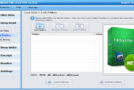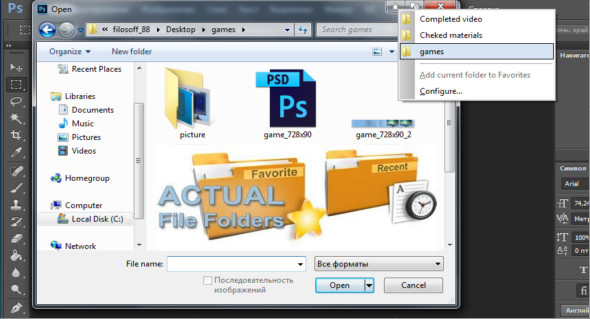
Actual File Folders It adds two title buttons, called Favorite Folders and Recent Folders. These buttons are system-wide in Windows. This means you can use them in any common Windows Explorer window, file manager application, and any other software that uses system file dialog boxes, such as Microsoft Word, Internet Explorer, or Total Commander.
Favorite folders is a file folder extension that lets you create a list of shortcuts to the folders you use most often. Then, you can invoke this list in any file-linked window of any program and access one of your favorite folders instantly with a single click. It's a great replacement for the tedious click-and-click process of navigating to the required folder through the folder hierarchy. It's similar to a bookmark list for your favorite websites in your web browser: instead of typing the URL every time you want to open your favorite website, you invoke the bookmark list and click on that site's bookmark to access it instantly.
You can manage the list of shortcuts to your favorite folders in the Favorite Folders panel. Then, you can access this list by clicking the special title button. When enabled, this button will be added to the title bar of any supported window.
Since most Windows applications use system dialog boxes for operations such as opening a file, saving a file, and searching for a folder, you can create a list of shortcuts and then use it in virtually any program.
Recent files is a file folder extension that automatically tracks the folders you've recently visited and keeps a list of shortcuts to those folders so you can instantly return to them with a single click. It's similar to your web browser's browsing history: you can quickly return to a web page you visited some time ago if needed.
Most file management programs (including Windows Explorer itself) offer such a service; however, browsing history is available only while the window remains open or in that particular file manager.
Instead, actual file folders retain browsing history globally, regardless of the program in which you used the folder. This means, for example, that you can open a document in Microsoft Word from a folder, then switch to Microsoft Excel, and finally open the same folder using the recent folder history.
You can adjust the "Recent Folders" options in the Recent Folders panel. The list of recent folders can be accessed by clicking the special title button. When enabled, this button will be added to the title bar of any supported window.
The compact mode of the title buttons works correctly in systems with right-to-left languages (such as Arabic or Hebrew).
Configuration:
– Windows (x32/x64 Bits): XP, Vista, 7, 8, 8.1, 10
– Processor: 1 GHz
– RAM: 1 GB
– Disk space: 20 MB
Language Multilingual (French included)
Size : 9.4 MB
This article was updated on March 3, 2018