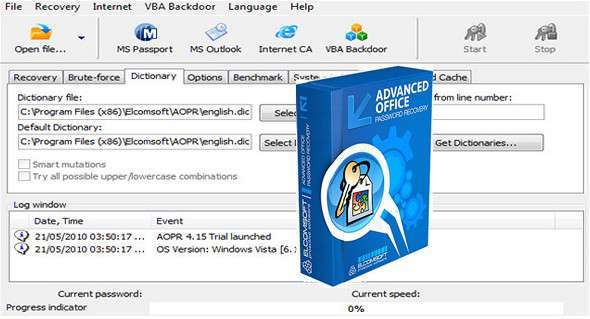
Recover, remove, or bypass passwords protecting documents created with a variety of office suites. Decrypt passwords for Microsoft Office documents and files in OpenOffice, Apple iWork, and Hangul Office formats.
– Crack the passwords on all relevant office documents
– The fastest desktop recovery tool on the market thanks to low-level optimization and GPU acceleration
– Exploits all known backdoors and tricks within the Office family for instant recovery
Multiple video cards can perform the task up to 200 times faster than the CPU alone.
– Combine brute force, dictionary, and advanced attacks into a simple workflow
Access password-protected documents
Advanced Office Password Recovery unlocks documents created with all versions of Microsoft Office, from the older 2.0 version to the 2016 edition, and supports documents in OpenDocument and Hangul Office formats. The tool can recover passwords for Microsoft Word, Excel, Access, Outlook, Project, Money, PowerPoint, Visio, Publisher, and OneNote, as well as all OpenOffice applications and all applications within the Hangul Office suite.
Baster Attacks with GPU acceleration
Microsoft strengthened password protection in Office 2007, further enhancing its strength in Office 2013. The OpenDocument and Hangul Office formats are equally robust. With the computationally intensive encryption used in the latest versions of Microsoft Office, password recovery tools relying solely on the computer's CPU are no longer able to provide reasonable recovery times.
To further increase recovery speed, Elcomsoft supports multiple video cards and allows all CPU and GPU cores to operate simultaneously. All or some of the CPU/GPU cores can be dedicated to the password recovery task, enabling maximum performance or non-intrusive background processing. The latest generation of ElcomSoft GPU acceleration technology supports an unlimited number of AMD or NVIDIA cards, including the latest generation of high-performance accelerators.
Note for Hangul Office usersGPU acceleration is available for the Hangul Office Spreadsheet application (Hancell) and is not available for its word processing application (Hanword).
Instant access to password-protected documents
Not all passwords are equally strong. Advanced Office Password Recovery offers instant access to many types of password-protected documents, including those created in Microsoft Word and Excel versions 97 and 2000. Later versions of Microsoft Word and Excel save documents and spreadsheets in compatibility mode, making them available for instant password recovery.
By carefully analyzing the algorithms and implementations of password protection in various versions of Microsoft Office applications, ElcomSoft has developed workarounds that allow for the instant recovery of certain types of passwords, eliminating the need for lengthy attacks. Advanced Office Password Recovery is well-versed in the different password protection methods and implements all the necessary techniques to recover protected documents in seconds.
All features and benefits:
– Automatic password deletion
– Targeting human psychology
– Dictionary attacks
– Advanced attacks
– Accelerated Brute Force Attack
– Word and Excel documents: Guaranteed recovery
Configuration:
– Windows (x32/x64 Bits): XP, Vista, 7, 8, 8.1, 10
– Processor: 1 GHz
– RAM: 1 GB
– Disk space: 50 MB
Language : English
Size : 21.4 MB
This article was updated on December 22, 2017