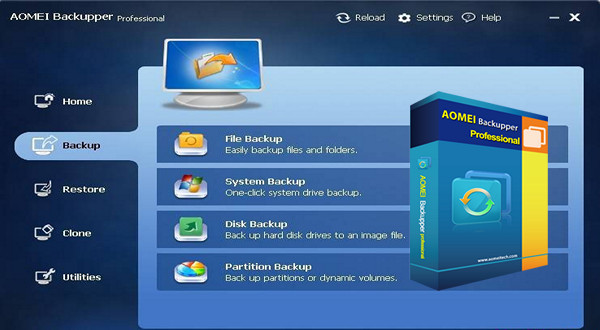
Best Windows backup software for PCs, laptops, and workstations
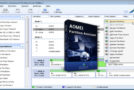
The Professional Edition, powerful software for Windows PCs and laptops, contains all the features of AOMEI Backupper and supports system/disk/file/partition backup, restore and clone, as well as providing scheduled tasks, image merging, dynamic volume backup, UEFI boot and GPT disk backup.
- To safeguard: Protect everything easily and securely, including the system, disk, individual files and partition.
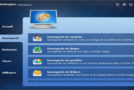
- Restore: Fast and reliable disaster recovery, supports universal and selective recovery.
– Cloning: transfer the operating system step by step or upgrade a hard drive without reinstalling Windows and applications.
– Utilities: scheduled backup, create a boot disk, command-line backup, and check, explore, merge images, etc.
Backup types
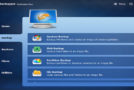
– System backup: Back up the Windows system, settings, applications, and files required to start the computer with a single click.
– Disk backup: back up the entire disk to ensure everything on the disk is protected.
– Partition backup: choose the separate partitions to back up, including dynamic disk volumes.
– File backup: Back up your files and folders automatically or manually to protect them against loss.
– Syfile chronology: Synchronize files and folders automatically with a scheduled backup to a local/external disk, USB flash drive, NAS or network.
How to save
– Scheduled backup: Set up a scheduled task to back up your system and all files automatically; it supports daily, weekly, and monthly backups.
– Incremental & differential backup: save only the modified data based on a full backup to save time and storage space.
– Backup scheme: Automatically delete old backup images based on the specified value (date or number) to save disk space.
– Command-line backup: perform backups via the command prompt or by creating a batch file (.bat) for unattended backup.
– Hot backup: Create a backup image without closing running applications and restarting the computer.
Where to save?
– Back up to internal & external storage devices: Supports internal hard drives, external USB hard drives and all flash drives.
– Save to a CD/DVD: Support CD-R/RW, DVD-R/RW, DVD+R/RW, BD-R.
– Back up to a NAS/shared network: define a network attached storage (NAS) server or a shared network as the destination path for backup.
Configuration:
– Windows (x32/x64 Bits): XP, Vista, 7, 8, 8.1, 10
– Processor: 3GHz
– RAM: 512 MB
– Disk space: 120 MB
Facility :
1- Start the installation
2- Copy the patch in the installation folder – run the
3- Use the keygen
- Language : Multilingual
- Size : 83.0 MB
This article was updated on December 16, 2016