Apache OpenOffice is a free office suite that aims to replace paid suites on the market.
This is an office suite providing functions similar to those of Microsoft Office (spreadsheet, word processing, presentation software, etc.). The word processing tool called "Writer," for example, is capable of displaying several pages simultaneously.
It can also create or edit diagrams. An improvement in illustration capabilities has also been observed. Similarly, Apache OpenOffice's spreadsheet supports over 1000 columns per sheet. Of course, other tools such as presentation software and a database are also included. A difference compared to Microsoft Office is also noticeable in the interface.
Why?
Apache OpenOffice is a free office suite designed to replace paid suites on the market. It offers features similar to those of Microsoft Office (spreadsheet, word processor, presentation software, etc.). The word processing tool, called "Writer," for example, can display multiple pages simultaneously. It can also create and edit diagrams. Improvements have also been observed in its ability to handle illustrations. Similarly, Apache OpenOffice's spreadsheet supports over 1,000 columns per sheet. Of course, other tools such as presentation software and a database are also included. A difference from Microsoft Office is also noticeable in its interface.
Practical :
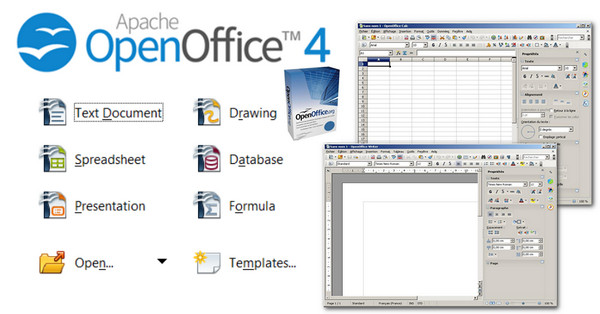
Apache OpenOffice offers a new, more user-friendly interface with new icons, a zoom control located in the taskbar, and a text annotation system. In addition to the interface, it is also compatible with all versions of Microsoft Office, allowing you to export documents created in Microsoft Office to the OpenOffice suite. OpenOffice includes a tool for on-the-fly spell checking, although it is not enabled by default as it requires installing a dictionary. See the following guide for instructions on installing a dictionary in OpenOffice. With OpenOffice Draw, you can create vector graphics for integration into your documents or presentations. OpenOffice offers an integrated database management system (DBMS) called OpenOffice Base, which is a serious alternative to Microsoft Access. The suite is also characterized by its fast loading times. Furthermore, the program supports OpenXML documents, making it even more convenient.
High-performing:
The OpenOffice suite is composed of several components: OpenOffice Writer is the word processor in the OpenOffice suite, and undoubtedly the most widely used component. A true alternative to Microsoft Word, it allows you to create and format text documents.
OpenOffice Calc is the spreadsheet program in the office suite, similar to Microsoft Excel in the Microsoft Office suite. Capable of handling workbooks with up to 1024 columns, it has all the features that make it a leading spreadsheet program: macros, sorting, data processing and analysis, and chart creation.
OpenOffice Impress, on the other hand, refers to the slideshow software, which allows users to create graphic presentations for professional or personal use. Its equivalent in the Microsoft Office suite is Microsoft PowerPoint.
More :
The OpenOffice suite is completely free because it is an open-source (free) project. The Apache OpenOffice suite is particularly efficient and rivals Microsoft Office, both when starting the application and when opening a file. It is the
Configuration:
– Windows (x32/x64 Bits): XP, Vista, 7, 8, 8.1, 10
– Processor: Pentium 4 3GHz
– RAM: 512 MB
– Disk space: 260 MB
Facility :
- Execute : Setup_Apache.exe
- Language : French
- Size : 126.2 MB
This article was updated on November 24, 2016