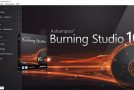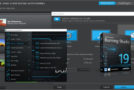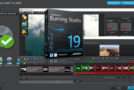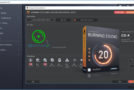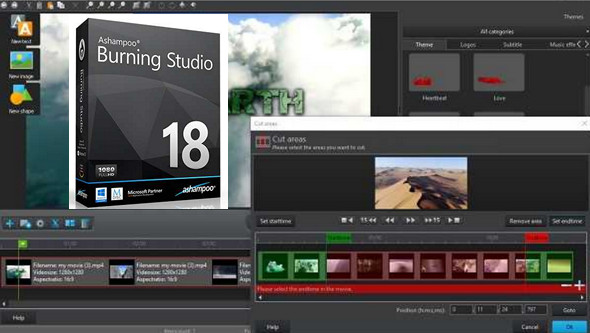
The all-in-one solution for your disc burner: The all-new Ashampoo Burning Studio burns data, movies or music onto any CD, DVD or Blu-ray disc.
Burn anything you can think of, from ultra-simple data discs to the most complex movies with subtitles – to name just a few of the options.
User-friendly, logically structured, and usable without any prior technical knowledge. The all-new Burning Studio 16 gets the most out of your files, movies, and photos and unlocks the full potential of your PC. Burning Studio – the benchmark in burning applications!
Quite simply, the most beautiful Burning Studio of all time.
The latest version of Ashampoo Burning Studio boasts improvements across the board. Enjoy a more beautiful, intuitive, clean, and perfectly structured user interface, down to the smallest option. Discover enhanced graphics and superb clarity, making everything instantly familiar and usable. Minimalist menu paths, clear icons, and a layout that eliminates any confusion about the program's steps will help you find your way around at all times.
The sound made for your car radio
Choose your music tracks, select the radio station, choose a destination – and you're all set.
When you want to create a music collection for your car, you often run into a problem: Once your music is burned to a disc or saved to a USB drive, the vast majority of current car stereos don't support all existing audio formats, resulting in a messy sorting process and your music playing in a random order. The new Burning Studio puts an end to this chaos! With numerous presets designed for different car stereo models, you can now listen to your songs exactly the way you want them.
More formats, more options!
Everything for the perfect slideshow, more compatible than ever before
Making and burning movies has always been the program's specialty. Version 18 also supports popular formats like MPEG4, H.264, and AAC. Thanks to the program's new scene transitions and sound effects, you now have a virtually endless number of options for creating movies exactly as you envision them. The possibilities are endless – let your imagination run wild!
Creativity takes center stage
Pleasure blends seamlessly with cutting-edge technology – turn your projects into reality
With Burning Studio, there are no limits to your creativity. Film editing is a breeze, and adding subtitles such as text notes, choosing themes, or custom graphics helps you give your product individual flair. Transform your photos into slideshows with music to stylishly capture the most memorable moments of your life, or design the perfect cover for your audio CD and use the fascinating mosaic feature or the numerous presets. You'll find that working with Burning Studio is a truly fun experience!
Simply secure
Protect important and sensitive data from unauthorized access
Burning Studio also offers a masterful backup feature. Burn or back up your data however and wherever you need it. Incredibly simple yet brilliantly implemented technically. And if your files exceed the disk's capacity, Burning Studio automatically takes care of distributing them across multiple volumes (disks). Compression and secure password protection are included!
There's music in the air.
Comprehensive service for your audio files
Burning Studio handles audio files with ease. Rip and store CDs in either high quality or with maximum space saving. Artists and tracks are automatically recognized. Then, burn audio CDs with ease and apply various equalizer presets or even volume adjustments before printing your custom-designed cover. Sounds pretty good, right? And it is!
Engrave? Engrave!
Burn data securely and with great flexibility
It goes without saying that burning data to CDs, DVDs, or Blu-ray discs is the program's core functionality. But Burning Studio demonstrates ingenuity even with such a simple task. Storing massive amounts of data across multiple discs is incredibly easy, autostart discs feature customizable menus and individualized designs, while encrypted discs boast extremely robust password protection for maximum security.
3 steps
Success is just a few clicks away.
Many users are simply stunned when they work with Burning Studio for the first time. Is it really that easy? Yes, the basic workflow consists of only three steps: selecting files, choosing a processing method, and selecting a target. Everything else is optional. Creating video DVDs with animated menus in just a few clicks? With Burning Studio, anyone can do it!
Configuration:
– Windows (x32/x64 Bits): XP, Vista, 7, 8, 8.1, 10
– Processor: Pentium 4 3GHz
– RAM: 1 GB
– Disk space: 200 MB
Facility :
1- Launch the software installation with " ashampoo_burning_studio_18_e18.0.0_sm.exe » in « mode Administrator"
2- Choose the language from the drop-down menu and click on " Okay"
3- In the new window that has just opened, click on " I agree, continue"
4- In the new window that has just opened, uncheck " Check for program updates and install them. and click on Following"
5- At the end of the installation, uncheck " Run Ashampoo Burning Studio 18and click on To end"
6- In the folder " Crack" , copy the file " ash_inet2.dll and paste it into C:\Program Files\Ashampoo\Ashampoo Burning Studio 18"This will tell you that the file already exists. Click on " Copy and replace then on Continue"
7- In the folder " Crack", double-click on " Reg 32 Bit.regA window will open asking if you want to allow the following program to make changes to this computer. Click on " YesA new window opens. Registry editor "asking you if you are sure you want to continue, click on " YesA new window will open confirming that the keys and values have been correctly added to the Registry. Click on " Okay" .
8- Repeat the same operation with the file « Reg 64 Bit.reg"
- Language : Multilingual (French included)
- Size : 105.5 MB
This article was updated on December 1, 2016