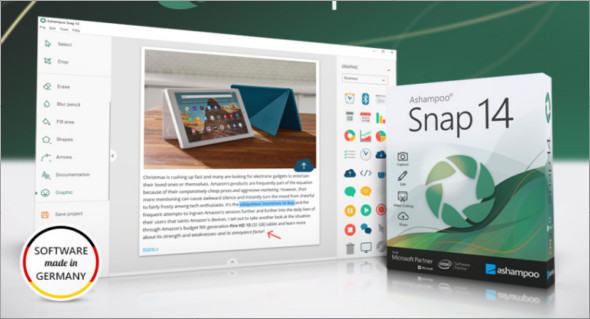
Ashampoo Snap is a powerful multimedia tool that allows users to create and edit screenshots and videos easily, professionally, and quickly. The user interface is clear and simple, requiring no prior knowledge to use. You can also download TechSmith Snagit.
With Ashampoo Snap, users can capture screenshots and videos in resolutions up to 4K. Numerous editing tools are available to help users modify screenshots and video clips. Users can create, edit, and add comments to screenshots with a variety of design options. Furthermore, Ashampoo Snap allows users to share their files to all popular cloud services on the internet, including Twitter, Facebook, Dropbox, OneDrive, Google Drive, and more.
The best thing about this screen recorder is that it runs silently in the background until activated via keyboard shortcuts or the self-hiding floating toolbar. Its multi-core support and comprehensive features, such as full-screen video recording and rendering collages, run at maximum speed. Furthermore, multi-monitor setups with varying resolutions are fully supported.
Ashampoo Snap Features
– Capture HD videos and screenshots
– Record videos and images from the Internet
– Allows you to create, edit, and add comments to screenshots
– Capture screenshots and videos in up to 4K resolutions
– Create full-screen game screenshots without loss of quality
– Share with ease
– Attractive and well-managed user interface
– Smart and convenient to use
Version : 14.0.6 /Portable: 12.0.6
Language : Multilingual (French included)
Size : 148.18 MB / Laptop: 134.43 MB
Configuration:
– Windows (x32/x64 Bits): 7, 8, 8.1, 10, 11
Ashampoo Snap 14.0.6
Ashampoo Snap Portable 12.0.6
This article was updated on September 24, 2022