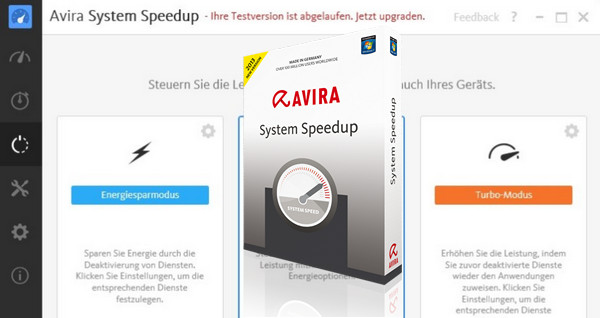
Clean it. Configure it. Unleash your PC to perform at its best!
Throughout its lifespan, your PC accumulates programs, event logs, and other leftover files that persist long after they've been used. These only serve to overload your memory card and processor.
You may have tried deleting unwanted files without improving your PC's persistent slowness. This is because you can't access the numerous temporary files, corrupted registry entries, and hidden processes within its internals.
Avira System Speedup manages to go where no user can, carefully and safely removing unused programs and files, optimizing Windows to run fast and error-free, just as you deserve!
1-click maintenance
Lighten the load on your computer
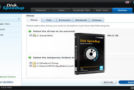
The system cleanup module includes a comprehensive set of fast and safe tools to tidy up your PC. Reclaim space by removing unnecessary files and registry entries, and take advantage of a smart defragmenter. Activate the personal data deletion feature to erase all traces of your daily browsing.
It acts at the heart of the sources of slowness, blockage, and crashes.
All PCs need to run processes in the background. When adding new applications, these background tasks can become chaotic, leading to errors and interruptions. The system optimizer, along with a process and service manager, gets your PC back on track. The startup manager speeds up boot times by limiting the number of tasks Windows performs.
Eliminates all history
It's your PC—you should have control over which files are accessible to others. File encryption ensures their confidentiality, while the file shredder and disk eraser guarantee that nothing can be recovered. The uninstaller ensures that any remnants of uninstalled applications no longer clutter your computer or cause errors.
Scans your PC's health
No need to schedule an appointment for Disk Doctor to find, diagnose, and repair hard drive errors. The disk analyzer evaluates ways to optimize disk space usage. For preventative maintenance, the driver tracer keeps track of the software linking your operating system to your peripherals, reducing the risk of failure.
Easy for beginners to use, experienced users will appreciate being able to manage the settings in detail so that the software does exactly what they want.
Configuration:
– Windows (32/64 Bits): Vista/7/8/8.1/10/Xp(32bits)
– Processor of 300 MHz or more
– 256 MB of RAM minimum
– 20 MB minimum available space
Facility:
1. Install and close the program in the taskbar
2- Copy and replace the cracked DLL files in the installation directory
- Language: Multilingual (French included)
- Size: 12.8 MB
This article was updated on September 18, 2016