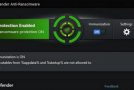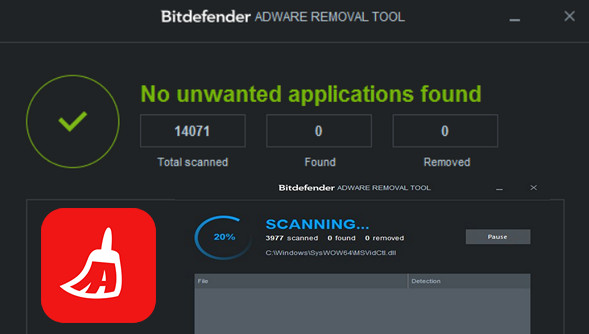
Bitdefender Adware Removal Tool is software that scans your computer to find and remove unwanted programs such as adware, browser toolbars, and other malicious software. Bitdefender Adware Removal Tool scans your computer before displaying a list of the unwanted items it finds and removing them.
Advanced Adware Detection: These are software programs that can be used to display advertisements or collect user data for marketing purposes.
Adware is typically installed using software engineering techniques by bundlers or as an option within some free software. Some adware can intercept and modify internet communications and collect personally identifiable information used to create user profiles for targeted advertising. These ads can take the form of pop-up windows, pop-unders, text links or in-text ads, banners, or even entire pages of advertisements. Many adware applications can be considered merely "annoying," while others pose a real threat to users' personal data, as some adware companies even stipulate in their End User License Agreement (EULA) that any collected data may be sold to third parties.
Application Bundler: These are installers that display third-party offers at runtime, sometimes by analyzing user data, installed applications, or using geolocation detection.
This typically involves sending information to a server and receiving a list of offers or dynamic code to run on the user's machine. This data exchange sometimes occurs before the user can read and access the End User License Agreement (EULA) and privacy policy. Bundlers may use social engineering techniques to increase their profitability by persuading users to install the offered software.
Application.Keylogger: This refers to a category of commercial keyloggers or legitimate applications that can record what the user types on the keyboard and other information. This type of software is generally legitimate and installed knowingly or mandated by company policy. However, there are cases where these applications are used without the user's knowledge to steal information such as credit card numbers or other confidential data.
How does it work?
Step 1: Launch the tool on your computer. (No installation required)
Step 2 : The tool scans your computer for adware.
Step 3: You can view the applications to be removed and select only those you wish to uninstall.
Step 4 : The tool removes unwanted adware.
Configuration:
– Windows (x32/x64 Bits): XP, Vista, 7, 8, 8.1, 10
– Processor: Pentium 4 3GHz
– RAM: 512 MB
– Disk space: 100 MB
Facility :
For a computer with Intel x86 or x64
- Execute : BDPUAR.exe
- Language : French
- Size : 46.5 MB
This article was updated on December 3, 2016