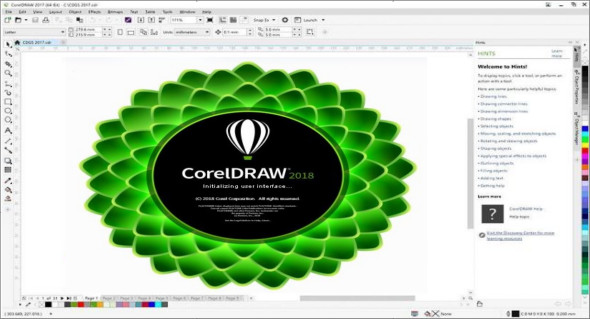
CorelDRAW Graphics Suite 2018 is the latest and most innovative graphic design program yet! Skip the sketching and scanning from paper, and go straight to the new LiveSketch tool to capture your ideas as soon as inspiration strikes. This suite is packed with cutting-edge features to help you create stunning drawings, graphics, photos, and websites with ease and confidence.
What's new in CorelDRAW Graphics Suite 2018:
Creative
Boost your creativity with the new Symmetry drawing mode, unique effects, new line options and more.
Symmetry
Symmetry is an essential part of the graphic workflow, as it creates balance, harmony, and order. Symmetry is everywhere in nature, so chances are some design element will depend on it.
Block the shadow
CorelDRAW has long been a favorite with vinyl cutters, screen printers, and sign makers, so their feedback has been essential to the development of each version of the program. Working with users in these industries, CorelDRAW 2018 introduces the Drop Shadow tool, which lets you add solid vector shadows to objects and text.
Corner control using dotted lines and outlines
Thanks to invaluable feedback from our loyal user base, CorelDRAW 2018 gives you more control over the appearance of corners in objects, text, and symbols that use dashed lines. In addition to the existing default setting that renders dashed lines precisely, you can choose from two new options to create perfectly designed and defined corners.
Impact Tool: When you need to add a little extra flair to a design, the Impact tool is the answer. Inspired by comics and graphic novels, it's perfect for quickly and effortlessly adding movement or focusing on a specific element in a drawing. In just a few clicks, you can achieve results that previously required a lot of time and effort. The Impact tool has two modes: Parallel for adding "zoom" lines that signify movement, and Radial for adding an explosive burst of energy.
Pointillizer
With just a few clicks, you can generate high-quality vector mosaics from any number of selected vector or bitmap objects using the Pointillizer effect. Inspired by the Pointillism painting technique, where multiple dots combine to form an image, it's fantastic for creating vehicle wraps, window decoration projects, and more. The ability to define the number, size, and shape of the mosaics gives you limitless creative possibilities.
PhotoCocktail
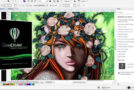
Whether you're creating promotional materials, a family keepsake, or a work of art, the PhotoCocktail effect lets you create stunning photo collages more easily than you might imagine. You start with a photo or vector object as the base for your mosaic, then choose from a library of bitmap images to serve as mosaics, and PhotoCocktail does the rest. You have complete control over how everything blends, how the collage is produced, and the resolution of the final result.
Productive
Boost your productivity with performance enhancements and new high-caliber, yet intuitive, features in CorelDRAW Graphics Suite 2018.
Launch time
Launch time has been reduced thanks to improved performance, allowing you to work faster than ever before.
Enhanced vector previews
CorelDRAW Graphics Suite 2018 boosts your productivity with faster rendering of tool previews; curve, node, and handle previews; effect controls and sliders; and text. You can also open large files faster and enjoy smoother editing of complex curves. In addition, you can work more efficiently with more visible and user-friendly tool and object previews.
Work faster with text and fonts
Faster text rendering, especially for artistic text, speeds up the design process. In addition, the font list performance in CorelDRAW 2018 has been improved so you can quickly find what you're looking for.
Work faster with fonts stored on a network
Finding the right font for work is easier than ever thanks to enhancements to Corel Font Manager that improve monitoring of fonts stored on a network.
Activate snapping
While snapping can improve productivity by offering the ability to precisely position design elements, users have told us that there are steps in their workflow when they would like to temporarily disable it. To this end, CorelDRAW 2018 makes it easy to temporarily disable snapping options by clicking the Snap Off button. You can also use keyboard shortcuts to toggle snapping on or off (Alt+Q) or disable snapping while repositioning without having to release the cursor (Q).
Align and distribute the nodes
Since its introduction, the Align and Distribute docker has become an indispensable tool for graphic design professionals thanks to its quick and easy access to object positioning controls. In CorelDRAW 2018, these same precise alignment options can now be used for nodes. What was once a slow, manual process can be accomplished effortlessly in just a few clicks. You can align nodes using a selection's bounding box, the page edge or center, the nearest gridline, or a specified point.
Warning when fonts cannot be embedded
Another time-saving feature is a new warning that appears when you save a file, listing fonts that cannot be embedded. This simplifies collaborative workflows by identifying the fonts a colleague will need to continue working on the document.
Filter the fonts based on incorporation rights
You can save time and ensure hassle-free file sharing with the new Font Embedding Rights filter. It lets you sort fonts based on four common font embedding permissions, so you know right away which fonts to use or avoid when choosing text styles. The filter gives you a quick overview of what other users can do with text and fonts in a drawing you share with them.
Home screen
The redesigned home screen can help you get your workflow started when you launch CorelDRAW or Corel PHOTO-PAINT. It lets you quickly start a new document from scratch in both applications, from a template in CorelDRAW, or from the clipboard in Corel PHOTO-PAINT. You can also browse to open a file or use a reorganized list of recent documents that displays thumbnails and file properties. All workspace options are readily accessible, so you can immediately work in the user interface layout that best suits your needs.
Configuration:
– Windows (x64 Bits): 7 SP1, 8, 8.1, 10
– Processor: 1 GHz
– RAM: 2 GB
– Disk space: 2 GB
Language Multilingual (French included)
Size : 551.2 MB
This article was updated on April 4, 2018