The most comprehensive Daemon Tools: The Pro version of DAEMON Tools Lite already offers a wealth of additional features compared to the free version: image burning, VHD creation, and IDE device emulation. To meet even more demanding professional needs, we invite you to discover the DAEMON Tools Ultra version. Features on the menu This Ultra edition stands out for its emulation tools.
The user can create images from files or a disk and mount a variety of virtual drives (DT, SCSI, IDE, and hard drives). In addition, it offers the ability to create virtual hard drives (VHDs) and to design TrueCrypt encrypted disks. Furthermore, this version allows the creation of bootable USB devices and RAM disks.
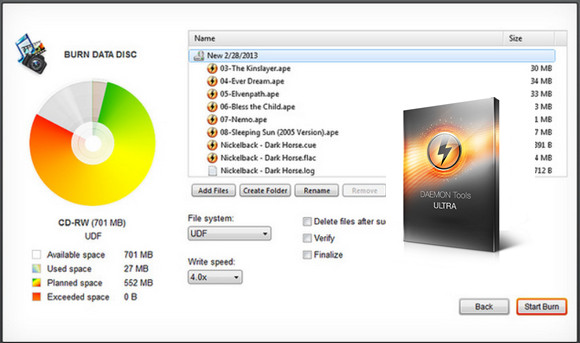
These allow the computer's RAM to be used temporarily as mass storage. State-of-the-art tools DAEMON Tools Ultra also provides access to an iSCSI target via the DAEMON Tools iSCSI tool. Burning capabilities are also expanded, allowing the use of virtual burners to generate disk images from other applications.
Ergonomics aspect:
This Ultra edition stands out thanks to its portable mode, allowing use without installation. It also features multitasking functionality, enabling simultaneous execution of multiple operations.
Configuration:
– Windows (x32/x64 Bits): 7, 8, 8.1, 10
– Processor: Pentium 1GHz
– RAM: 512 MB
– Disk space: 70 MB
Facility :
1. Install Daemon Tools Ultra (Trial Version)
2. Uncheck " Search Offer (Yahoo!)"
3. Install the required drivers
4. Uncheck " Launch Daemon Tools"
5. Copy the patch (daemon.tools.ultra.v.4.1.0.0492.x32-patch [for 32-bit Windows] Or daemon.tools.ultra.v.4.1.0.0492.x64-patch [for 64-bit Windows]) in the Daemon Tools Ultra installation folder
6. Launch the patch (as administrator)
7. Click on patch
- Language : Multilingual (French included)
- Size : 23.1 MB
This article was updated on October 30, 2016