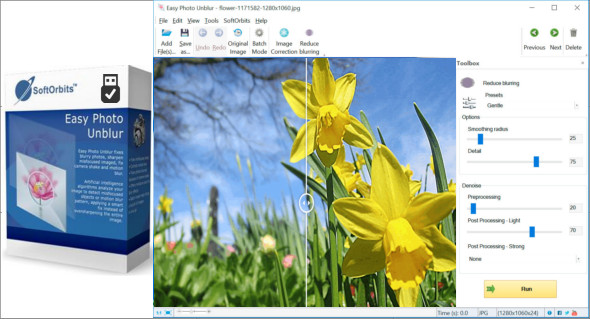
Easy Photo Unblur corrects blurry images, improves image sharpness, corrects camera shake and blur, by applying intelligent correction instead of increasing the width of the entire image.
Secure the handshake
Camera shake is the cause of most blurry photos. Optical and electronic image stabilization and high ISO sensitivity can help, but these usually come at a price. Even cameras with OIS can sometimes produce a blurry image. Fortunately, this type of blur is the easiest to fix. Easy Photo Unblur uses artificial intelligence to detect camera shake, carefully realigning the image for a perfectly sharp look.
Reduce motion blur
There are two types of motion blur, and you'll likely only want to correct one. When shooting a moving object with longer exposures, the object may appear blurry in the photo. This is because the object moved while the shutter was open. Easy Photo Unblur can correct this type of blur in just a few clicks.
Batch blur reduction
Now you can solve them all in one step! Simply launch Easy Photo Unblur and use batch mode to process everything in a folder.
Main features
– Correct focus errors in one click
– Corrects motion blur
– Correction of blurry photos due to camera shake
– Offers miniature blur and iris effects
– Batch processing mode helps to resolve a large number of images at once
– Integrated photo settings with brightness, contrast, color temperature and gamma controls
– Tools for cropping, rotating and resizing images
Configuration:
– Windows (x32/x64 Bits): XP, Vista, 7, 8, 8.1, 10
– Processor: 1 GHz
– RAM: 1 GB
Language : Multilingual (French included)
Size : 40.1 MB
This article was updated on September 4, 2018