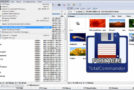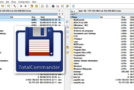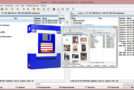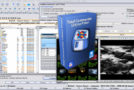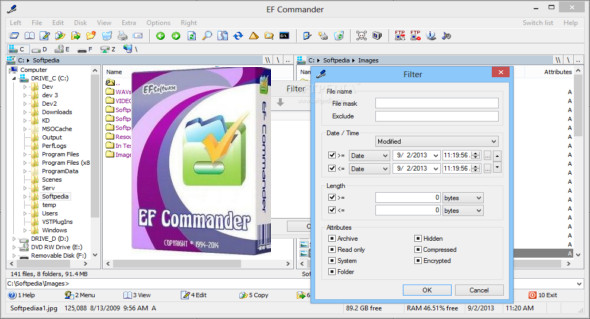
EF Commander Portable is a versatile and easy-to-use file manager. The program provides a user interface that allows you to browse the contents of a PC. It's a unique management system developed for users of all skill levels.
The EF Commander utility has an interface similar to that of Total Commander, a very familiar file management application. The program's interface is impressive and is displayed in two distinct parts, allowing you to browse your computer's contents easily and without complications; discovering its features is very straightforward.
The program includes numerous customization options, including a special command that allows you to synchronize folders and back up your data. It can also split large files into smaller ones and enable you to upload and download files via an FTP server.
Features of the EF Commander Portable:
– Easy to use. The modern interface allows you to have complete control over your files and folders.
– Tabbed interface. Define only the views you need in each pane for your folders and files.
– Integrated media player. The EF Commander features a high-quality audio player with playback function and ID3 tag support. Plays MP3, Ogg/Vorbis, FLAC, WMA, and WAV files in the background with minimal resource usage.
– Multi-name tool. A versatile function for easily renaming multiple files during a single processing step. Use a flexible approach for clearly defining renaming rules, including rules for MP3 files and EXIF data.
– Thumbnails. Quickly and easily get a preview of your photos or other image collections.
– Parallel file operations. All long-running operations are multitasking. – You can run several different operations at the same time, or several instances of the same operation. For example, you can have several "copy" commands running simultaneously.
– Direct link to PDAs with Windows CE. EF Commander was the first file manager to offer this feature. Manage your data just like on your desktop or laptop computer.
Additional features:
– Burn CDs and DVDs directly from EF Commander. Nero Burning ROM is required.
– Built-in packers for over 20 archive formats. Use EF Commander to compress files or entire folders into any of the most popular archive formats. No external programs are required. Supported formats: 7-Zip, ACE, ARC, ARJ, BZIP2, CAB, CPIO, GZIP, IMG, ISO (ISO9660), LHA, RAR, RPM, SFX, SQX, TAR, TBZ, TGZ, ZIP, Zip64, ZOO
– Built-in viewer for over 30 file formats. View image files and movies, and play MP3, Ogg/Vorbis, FLAC, WMA and WAV audio files, without needing to use any other software.
– Use XnView and IrfanView as add-ons. Increase the number of available formats to 400 or more. EF Commander runs silently in the background and allows you to manage files in the built-in viewer, in quick view mode, or as thumbnails.
– Fast FTP/FTPS client. The integrated FTP client features include FxP (server-to-server transfers) download and connection, and Secure FTPS (SSL/TLS).
– Internal text and HEX editor. EF Commander has full text and hexadecimal editors for files limited only by your system resources.
– Functions for splitting/joining large files. Divide large files into smaller parts and recombine the parts.
– Create/verify checksums. Verify the integrity of your data. EF Commander supports SFV, MD5, SHA1, SHA256, and SHA512 formats.
– Synchronization function. Synchronize your laptop or local network with your workstation.
– Support for external plug-ins for packagers, viewers, the file system, and content. Supported formats include WLX, WCX, WFX, and Winamp decoding plug-ins.
Configuration :
– Windows (x32/x64 Bits): XP, Vista, 7, 8, 8.1, 10
– Processor: 1 GHz
– RAM: 1 GB
Language : Multilingual (French included)
Size : 12.1 MB
This article was updated on March 4, 2019