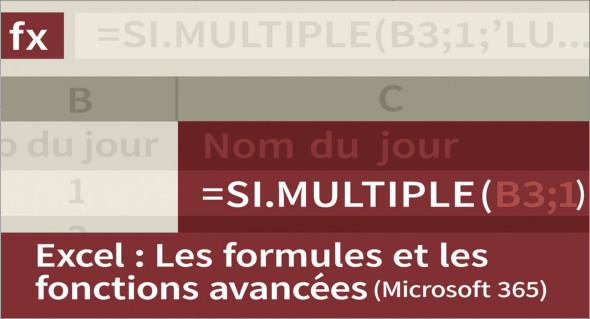
In a professional environment where data management and analysis have become essential, mastering Excel is no longer just an advantage, but an indispensable skill. To meet this growing need, training is available. "Excel: Advanced Formulas and Functions (Microsoft 365)" offers a complete and structured program allowing you to harness the full power of the world's most widely used spreadsheet.
Advanced training for demanding users
Delivered by Martial Auroy, an expert in Microsoft 365 solutions, this training is aimed at users who already have the basics of Excel and wish to move to a higher level.
With a duration of approximately 2 hours and 21 minutes, it offers a clear progression towards the advanced use of formulas, functions, and intelligent tools integrated into Excel.
This level training “Advanced” is ideal for anyone wishing to analyze data professionally: students, accountants, management, analysts or anyone who handles spreadsheets on a daily basis.
What you will learn in this training
At the end of the program, you will be able to:
Mastering date functions
- Calculate the differences between two dates
- Add days, months or years
- Managing working and non-working days
- Manipulating calendar functions for professional calculations
Use the numeric and text functions
- Extract, transform or concatenate text
- Convert and format data
- Performing simple or advanced statistics
- Clean up lists or tables using smart formulas
Manipulating conditional functions
- Use logical tests (
IF,AND,OR, etc.) - Create adaptive calculations based on criteria
- Automate decisions in your spreadsheets
Leveraging dynamic tables and formulas
You will also learn how to work with Excel spreadsheets, structured references, and Dynamic Arrayspowerful tools enabling more flexible and faster results.
This training will teach you how to transform Excel into a true calculation and analysis engine, beyond a simple data entry sheet.
Why take this training course?
Because Excel is constantly evolving, and Microsoft 365 now integrates new features such as dynamic formulas, the LET function, advanced search functions, and many other new features that businesses are increasingly using.
By mastering these tools, you can:
- Gain several hours of work each week
- Automating repetitive tasks
- Analyzing complex data
- Produce professional and reliable reports
- Stand out in your academic or professional environment
Additional training: Mastering all Excel formulas
For those who wish to go even further, there is also a complete training course to discover:
Excel Training: Mastering all Excel formulas
https://www.trucnet.com/formation-excel-maitriser-toutes-les-formules-excel/
This additional training covers an even wider range of Excel functions, ideal for strengthening existing skills and becoming fully autonomous in creating advanced calculations, dynamic tables, or even professional models.
Conclusion: Reach an expert level in Excel
The training "Excel: Advanced Formulas and Functions (Microsoft 365)" This course is essential for anyone wishing to use Excel professionally. Through a clear program, an experienced instructor, and accessible explanations, you will gain the knowledge necessary to optimize your data, improve your productivity, and create smart and efficient spreadsheets.
Combined with training "Mastering all Excel formulas"You will have a complete view of the possibilities offered by Excel, from advanced initiation to expert mastery.
Format: MP4 (50 Files)
Language : French
Duration : 02:21M
Size : 314.01 MB
Excel Training: Advanced Formulas and Functions
This article was updated on November 27, 2025