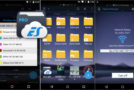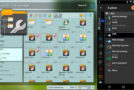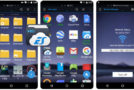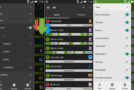

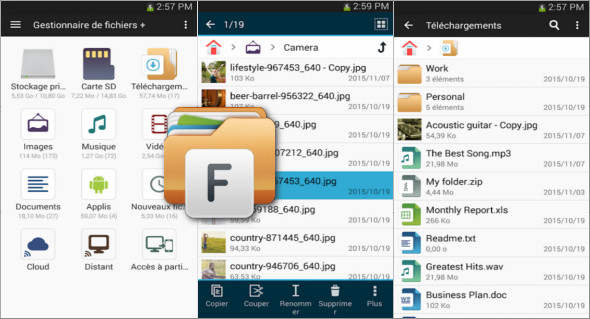
File Manager is a simple, fast, and comprehensive Android file manager designed to easily organize the files and folders on your smartphone or tablet. Its clear interface provides quick access to internal storage, SD cards, USB OTG devices, downloads, images, videos, documents, audio files, and newly added files. The app supports essential actions such as opening, searching, copying, pasting, cutting, deleting, renaming, compressing, decompressing, transferring, downloading, adding to favorites, and organizing files. It also recognizes major multimedia, document, and APK file formats, making it a practical tool for efficiently managing all the content on your Android device.
File Manager also stands out for its advanced local, network, and cloud management features. Users can access remote storage spaces such as a NAS, an FTP server, or cloud services like Google Drive, OneDrive, Dropbox, Box, and Yandex. It's also possible to manage Android files from a computer via FTP, simplifying transfers between PC and mobile without complex cables. The application offers storage analysis to identify unnecessary files and pinpoint those taking up the most space. It also integrates a built-in image viewer, audio player, and text editor for quickly opening files without needing multiple external applications. Note that there is also ES File Explorer File Manager, available here: https://www.trucnet.com/es-file-explorer-pro-file-manager/
Key features of File Manager
- Complete file and folder management on Android.
- Access to internal storage, SD card and USB OTG devices.
- Automatic file sorting: images, audio, videos, documents, downloads and new files.
- Available actions: open, search, copy, paste, cut, delete and rename.
- File compression and decompression.
- Transfer, download, favorites and folder organization.
- Supports multimedia files, common documents and APK files.
- Managing applications installed on the device.
- Access to cloud storage: Google Drive, OneDrive, Dropbox, Box and Yandex.
- Connecting to remote storage such as NAS and FTP servers.
- Accessing Android files from a PC via FTP.
- Analyzing storage to clean up unnecessary files.
- Identifying the files that take up the most space.
- Integrated image viewer.
- Integrated audio player.
- Internal text editor for quickly viewing or modifying files.
Summary
File Manager is a practical Android application for managing all the files on a device from a simple and efficient interface. With support for local storage, cloud, NAS, FTP, APKs, and built-in tools, it is ideal for users who want to quickly organize, transfer, clean, and view their files.
Version : 3.7.4
Size : 18.44 MB
Compatibility: Android 5 or More
Download File Manager v3.7.4
This article was last updated on May 25, 2026