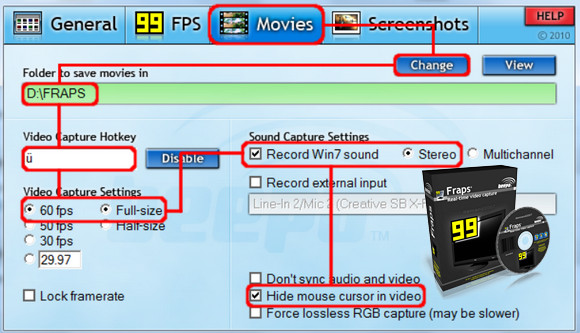
To capture your achievements in the form of a simple screenshot or video, or to perform benchmarks, there has long been a leading software program: FRAPS
The primary function of FRAPS (for FRAmes Per Second) is, as its name suggests, a utility that allows you to display on the screen the number of frames per second of any game.
However, the software is better known for its video capture capabilities. Once installed, it allows you to record 30 frames per second videos of your gameplay, or screenshots, with a simple keyboard shortcut (F7 by default), which isn't always easy to do, especially for games using DirectX.
The software's primary purpose remains to display the frame rate of a game, but it also allows you to perform benchmarks between two points in the game and export the results. Once you have adjusted the settings, simply minimize the software, launch your game, and activate one of the keyboard shortcuts (screenshot, video capture, benchmark).
Configuration:
– Windows (x32/x64 Bits): XP, Vista, 7, 8, 8.1,10
– Processor: Pentium 200 MHz
– RAM: 512 MB
– Disk space: 10 MB
Facility :
- Install : setup.exe
* Produced under registered law!
- Language : English
- Size : 2.7 MB
This article was updated on November 3, 2016