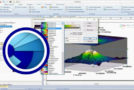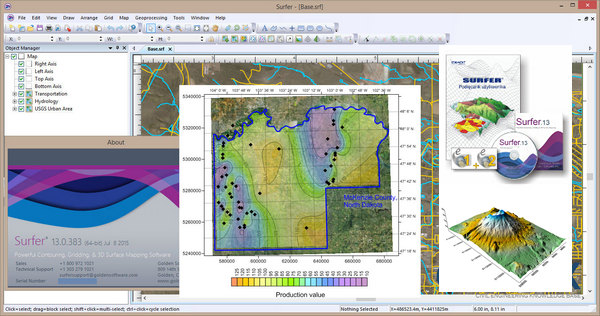
Surfer 13 provides a comprehensive set of 3D visualization functions and is widely used for terrain modeling, landscape visualization, surface analysis, contour mapping, 3D surface mapping, meshing, volumetrics, and much more.
Key new features in version 13:
1. Add a crosshair or grid to your map
Display your projected map and, with the click of a button, add latitude and longitude lines as a crosshair directly onto your map! You can also create a grid in different units, allowing you to project your map into a coordinate system (e.g., UTM) and display the grid in different units, such as feet.
2. 64-bit Installation
Work with all your large datasets and images without worrying about running out of memory!
3. Create visual pools
Add field-of-view layers to your map to display areas visible or invisible from a specific XY point location. Change the emitter coordinates, scan angle and radius, sampling distance, and drawing properties to create the best presentation.
4. Take advantage of the new vector editing tools
Many other geoprocessing functions are available to allow you to modify your vector geometry. Secure the desired results by creating points at intersections, new polygons from existing polygons, buffer polygons around objects at specified distances, and much more!
5. Query your base layers
Access your data quickly! Query objects in any base layer using object attributes. The powerful query tool makes it easy to search for and filter components nested within complex base layers.
6. Organize your information using the attribute table
Quickly and easily manage the attributes of base layer objects; adding, deleting and modifying attributes is child's play with the new property manager functionality and the new attribute table.
7. Use the new and improved import and export functions
Surfer is even more compatible with the programs you use, including Google Earth, AutoCAD, ArcGIS, and Erdas Imagine! Import KML/KMZ and ERDAS IMG file formats to create maps directly from a Z-value matrix. Export to layered PDF, XYZ text files, or DXF files with drawing properties and Z values. These are just a few of the new formats available!
8. Display latitude/longitude labels in degrees/minutes/seconds format
Improve the readability of your maps by formatting latitude and longitude labels in minute degree second format! With numerous options, you're sure to find the format that best suits your map.
Configuration:
– Windows (32/64-bit): XP SP2 or higher, Vista, 7, 8
– Processor: P4 3GHz
– At least 500 MB of available disk space
– At least 512 MB of RAM
Facility:
1) Install Surfer 13.4.553
2) Launch the program; it will ask you to enter the serial number.
3) Launch one of the two keygens and generate your key.
4) Enter the key on Surfer
- Language: English
- Size: 148.94 MB
This article was updated on September 19, 2016