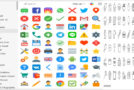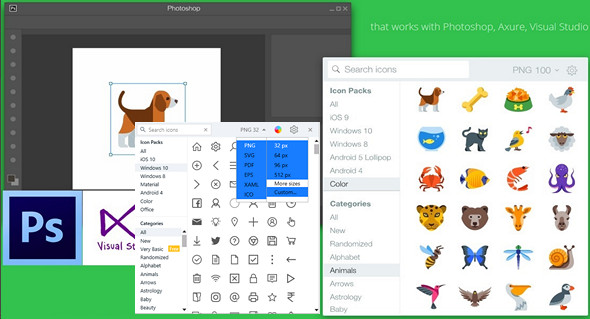
Find the icons you need and add them to any graphic design project (Photoshop, Axure, Visual Studio, etc.) with this app that boasts a generous collection of icons and search capabilities. Graphic designers and just about any user who needs to customize the look of software or a website will find it invaluable.
Icons8 is an application containing 38,600 icons in multiple sizes (from 25x25 pixels to 512x512 pixels) and formats (PNG, SVG, EPS, XAML, ICO). The icons are designed in 7 different templates; simply drag and drop an icon into any application, such as Illustrator, Photoshop, Visual Studio, or others. You can also change the icons used for your software and folders.
Icons8 is very well organized, and all the icons are placed in relevant categories to make them easier to find. The built-in search function is extremely fast.
Icons8 lets you find similar icons, copy icon images, or their file shortcuts. All of this is available in the menu that appears when you right-click on an item in the list.
The interface is very pleasant to look at and very practical, as it keeps all its functions in view, for easier access.
What's new:
– The .ICO and .XAML formats have been added.
– Automatic updates to a newer version.
– Change in size and format with a new interface.
– Increased stability (as always) and reduced disk space used.
Configuration:
– Windows (x32/x64 Bits): XP, Vista, 7, 8, 8.1, 10
– Processor: 1 GHz
– RAM: 512 MB
– Disk space: 50 MB
Portable version:
Run the portable file Icons8Portable.exe
– The program will appear in the taskbar.
Language : English
Size : 41.6 MB
This article was updated on March 30, 2017