What is Internet Download Manager?
Internet Download Manager (also known as IDM) is one of many download managers and accelerators, such as FlashGet or Getright. As their name suggests, these programs are designed to simplify download management and, when possible, to shorten download times.
How does Internet Download Manager work?
In practice, Internet Download Manager interfaces with the most widely used web browsers, such as Google Chrome, Mozilla Firefox, Opera, and Internet Explorer. When the corresponding extension (or plug-in) is activated, IDM will override the browser's built-in download manager.
It can therefore intercept download processes to optimize them: when the server allows it, Internet Download Manager will dynamically split files and download each part "independently," as if it were being done by multiple users. If the server only allows, for example, 500 KB/s per connection, the user can, thanks to IDM, take full advantage of their bandwidth by downloading at 500 KB/s per split of the required file. This system sometimes allows transfer rates to be multiplied by 8 or 10.
Other features of Internet Download Manager
Internet Download Manager has the useful feature of allowing you to categorize your downloads, a very handy function that lets you specify the folder where you want to save the file once you receive it. Users can define default categories based on the file type (i.e., its extension) or the website from which it was downloaded.
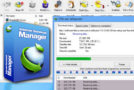
Through the download window, the user will be able to view the details of each of their downloads: file size, percentage downloaded, transfer rate, time remaining and whether or not the server supports the function of resuming interrupted downloads.
An interesting option is offered in the next tab: the speed limiter. While IDM aims to accelerate your downloads, it can also be useful to reduce the speed if the user wants to continue browsing or watching videos online, for example. Simply specify the desired speed, and the software will adjust it accordingly.
Depending on the browser, Internet Download Manager may shut down the computer once the downloads are complete.
Internet Download Manager
In addition to its immediate use, Internet Download Manager is also (as its name suggests) a download manager. The software therefore offers an interface where the user can view all files currently being downloaded and add files to be downloaded directly via their URL.
This interface will also allow users to pause downloads, manage priorities and scheduling, and automatically resume downloads in case of connection problems…
Internet Download Manager and video
IDM also integrates a feature for downloading videos from streaming sites. When a user plays a video online, an icon will automatically appear offering them the option to "download this video file." They simply need to select the desired quality and format for the video to be downloaded.
Please ensure you respect copyright when using this function.
Translations and compatibilities
Finally, note that the Internet Download Manager software is multilingual, so it does offer a translation of its interface into French.
IDM offers the ability to preview the contents of zip archives and supports the use of proxies as well as protected FTP.
Configuration:
OS: Windows XP, Vista, 7, 8, 8.1, 10 (32-bit or 64-bit)
CPU: Intel Pentium II (500 MHz)
RAM: 512 MB
HDD: 50 MB
Facility:
1. Install idman625build24
2. Close it from the notification area (icons next to the time)
3. Launch the Patch
4. Click on Patch (at the bottom, in the middle)
5. Launch IDM
- Language: Multilingual
- Size: 7.13 MB
This article was updated on August 3, 2016