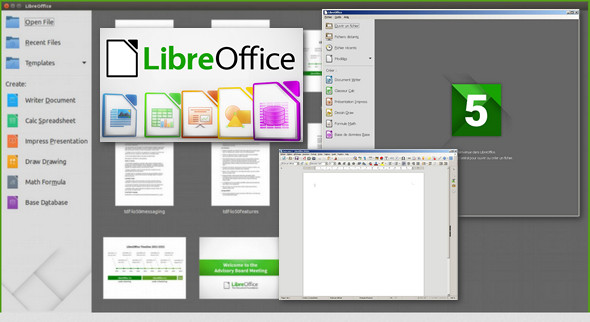
LibreOffice is a powerful office suite. Its clear interface and advanced tools allow you to unleash your creativity and boost your productivity.
LibreOffice integrates several applications that make it the most advanced Free & Open Source office suite on the market: Writer the word processor, Calc the spreadsheet, Impress the presentation module, Draw our drawing and flowchart application, Base our database and database interface and Math for editing mathematical formulas.
Documents that make a good impression:
Your documents will have a professional and clear appearance, regardless of their content, whether it be a letter, a thesis, a brochure, a financial report, a presentation, or technical drawings and diagrams.
Use documents of all kinds:
LibreOffice is compatible with many document formats such as Microsoft® Word, Excel, PowerPoint, and Publisher. But LibreOffice goes further by allowing you to use a modern open standard: the OpenDocument (ODF) format.
Even more features with extensions:
Beyond the numerous features provided by default, LibreOffice is easily extensible through a powerful extension mechanism. Get even more features and document templates on our dedicated platform.
More :
LibreOffice 5.1 arrives with numerous improvements in speed, quality, and user experience. Reduced startup time and overall speed on Windows and other platforms have been specifically addressed in LibreOffice 5.1.
LibreOffice 5.1 offers many improvements to the user experience in each of its modules: new and simplified menus, improved controls on charts and diagrams.
LibreOffice 5.1 added support for the Apple Keynote 6 presentation format, the Gnumeric spreadsheet format, export of modified VBA streams to binary and Microsoft OOXML formats, and the ability to save your files to remote locations (Cloud).
Several features have been added to LibreOffice 5.1 Calc, such as statistical regressions – linear, logarithmic and power – with a new dialog to calculate them; powerful function for searching strings as they are displayed, improved menus, compatibility with MS OOXML and new mathematical functions.
Configuration:
– Windows (x32/x64 Bits): XP, Vista, 7, 8, 8.1, 10
– Processor: Pentium 4 3GHz
– RAM: 1 GB
– Disk space: 600 MB
Facility :
– Intel x86: Execute Setup_x86.MSI
– Intel x64: Execute Setup_x64.MSI
– Install the offline French help last: Setup_aide.msi
- Language : French
- Size : 458.2 MB
This article was updated on November 25, 2016