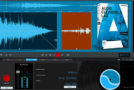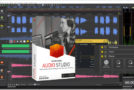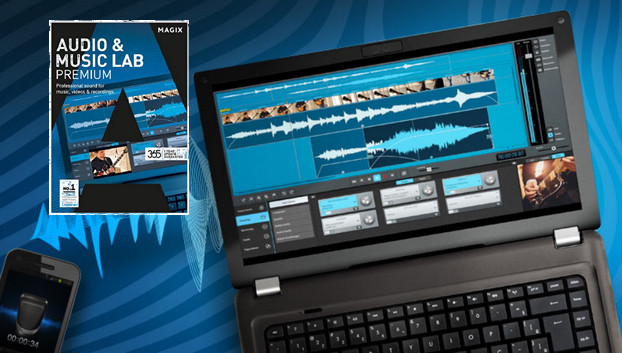
Professional sound for your music and videos. English version of the program. Enjoy professional audio editing for your music and video projects. With Audio & Music Lab Premium, you can edit, optimize, and play back your recordings digitally and in maximum quality.
True vinyl sound, wherever you are. Rediscover the unique sound of your vinyl records in all its detail on your smartphone, tablet, or in your car! With Audio & Music Lab Premium, record every nuance in 96 kHz/24-bit quality, professionally remove unwanted noise, and save your files in the format of your choice.
The main functions:
Studio-quality recording up to 96 kHz/24-bit; 6,000 current web radio stations; One-click noise removal; Over 360 audio optimization presets; Audio optimization for videos; Audio & video conversion to common formats; Audio-visual analysis tools; Burning projects to CD & DVD
Digitization:
Copying audio media: In just a few clicks, record tracks, cassette and vinyl albums, or even your voice for podcasts of optimal studio quality (up to 96 kHz/24 bits).
Import CDs: Transfer your albums, singles, and EPs to your computer in just a few clicks. Title and cover information from the original CDs is automatically retrieved from the internet.
Importing video soundtracks: Take your editing to the next level: import your audio files and start editing the audio track directly. The new algorithm now works even more efficiently.
Audio edition:
4 tracks for audio editing. Design transitions and add audio commentary or sound effects to your recordings: the 4 tracks offer you ample space for complete audio editing.
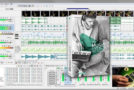
Visualizing Sounds: The various visualizations for your audio recordings make it easier to identify and edit problematic passages related to frequency or volume. In addition to the spectroscope, peak meter, and spectrogram, MAGIX Audio & Music Lab offers a bit resolution display, a phase meter, and a directional display.
Time stretching and pitch shifting: Audio & Music Lab Premium includes one of the world's best zplane™ algorithms for adjusting speed and pitch. This technology guarantees highly accurate results with virtually no artifacts.
Sequence editing For even simpler editing when creating audio montages: by accessing selection mode, you can select specific sequences from the tracks to copy or edit them with one click.
Configuration
– Windows Vista at 10 (x86 x64)
– Intel or AMD processor at 1 GHz (or faster)
– 2 GB RAM
– 1 GB for program installation
– Integrated video, minimum resolution of 1280 x 768
– Sound Card:
(Supported audio recording device and recommended microphone)
– CD/DVD drive (only for installing the boxed version)
Facility :
– Run: Audio_Music_Lab_2017_Premium_en-II_160205_15-36_22_0_1_22.exe
– Copy the AMLab.exe file to this directory:
C:\Program Files (x86)\MAGIX\Audio & Music Lab Premium\22
– When asked, “Do you want to replace?”, Yes
- Language: English
- Size: 276.75 MB
This article was updated on July 21, 2016