

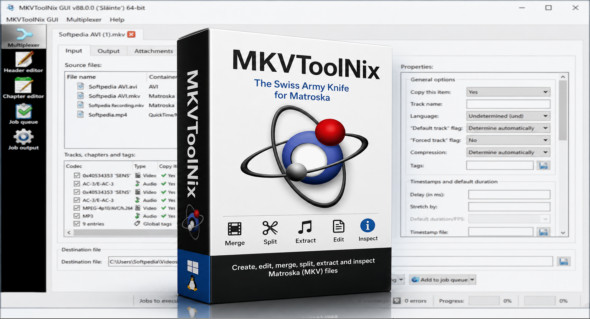
MKVToolNix MKVToolNix is a suite of tools specializing in the manipulation of Matroska files, better known by their MKV extension. It allows you to create, modify, merge, separate, analyze, or extract different elements from a video file. Thanks to its components such as mkvmerge, mkvinfo, mkvextract, and mkvpropedit, MKVToolNix offers precise control over video, audio, and subtitle tracks, without requiring complete re-encoding in many cases.
This software is particularly useful for users working with multimedia files, multilingual videos, or external subtitles. It supports MKV files, as well as several other video and audio formats such as AVI, MP4, MPEG, Ogg/OGM, RealVideo, H.264/AVC, VP9, AAC, FLAC, MP3, AC3, DTS, and Vorbis. MKVToolNix can also handle numerous subtitle formats, including SRT, ASS, SSA, PGS/SUP, and VobSub, making it a comprehensive solution for organizing and adjusting multimedia containers.
Main features of MKVToolNix:
- Creating Matroska MKV files from multiple sources.
- Merging video, audio and subtitle tracks into a single file.
- MKV file splitting and cutting.
- Extraction of audio, video or subtitle tracks.
- Detailed inspection of Matroska files using mkvinfo.
- Modifying MKV properties with mkvpropedit.
- Multiplexing and demultiplexing multimedia files.
- Supports AVI, MP4, MPEG, Ogg/OGM and RealVideo video formats.
- Compatible with H.264/AVC, VC1, Dirac and VP9.
- Reading VP9 from IVF, Matroska and WebM.
- Extraction to IVF files is possible.
- Support for AAC, FLAC, MP2, MP3, AC3, E-AC3, DTS/DTS-HD, Vorbis and RealAudio audio formats.
- Supports many subtitle formats such as SRT, ASS, SSA, PGS/SUP and VobSub.
- It is possible to add or remove tracks without modifying the entire video.
- A tool suitable for multilingual videos and files with multiple subtitles.
- A user-friendly graphical interface for less technically inclined users.
- Command-line tools are available for advanced uses.
MKVToolNix is a reliable solution for those who want to manage MKV files precisely. It allows you to rearrange tracks, correct certain information, add subtitles, or extract specific elements without using a cumbersome video editor. It's a highly regarded tool for preparing clean, compatible, and well-structured multimedia files.
Note that there is also Mp3tag ProA handy tool for editing and organizing audio file metadata. You can discover it here: https://www.trucnet.com/mp3tag/
Conclusion :
In conclusion, MKVToolNix is an indispensable tool for creating, editing, merging, extracting, and analyzing MKV files. Thanks to its compatibility with numerous video, audio, and subtitle formats, it offers great flexibility to users who want to manage their multimedia files cleanly and efficiently.
Version : 101.0
Language : Multilingual (French included)
Size : 64.51 Mo /Portable: 177.67 Mo
Configuration:
– Windows (x32/x64 Bits): 7, 8, 10, 11
Download MKVToolNix v101.0
Download MKVToolNix v101.0 Portable
Cet article a été mis à jour le 25 August 2026