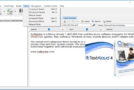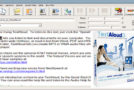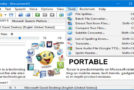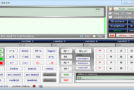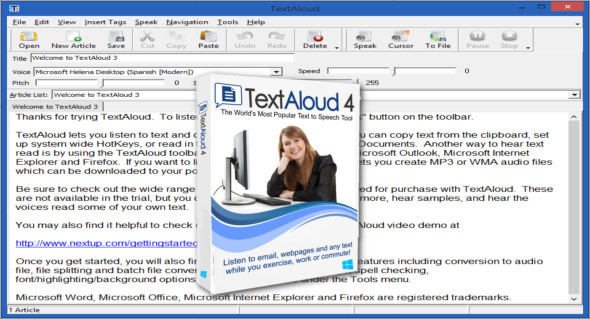
TextAloud is a Windows PC software that uses text-to-speech technology to convert your text from documents, web pages, PDFs, and more into a natural-sounding voice. You can listen on your PC or create MP3 audio files for use on portable devices, available with exciting, high-end voices (including multiple languages) from AT&T.
TextAloud has integrated web browser extensions for Firefox, Chrome, and Edge. A floating toolbar allows TextAloud to speak the selected text from any window. Users of the later online backup services Pocket and Instapaper can import tagged articles into TextAloud.
The interface is in English, but you can download voices to read text in other languages. Features and controls are optimized thanks to years of feedback from TextAloud's strong user base. You can also download Speech2Go.
Features of NextUp TextAloud:
– Single article mode and multiple article mode to listen to articles one by one or create a playlist to listen to later.
– Load items using the Clipboard, Document Import, Hotkeys and Drag and Drop.
– Supports Word, PDF and HTML documents.
– Support for multiple Text-To-Speech engines, including international voices.
– Supports WAV, MP3 and WMA audio files.
– Correction tool for listening to documents during proofreading.
– Plugin toolbar for Internet Explorer to listen to web pages.
– Save text as MP3 for portable audio players
– Reread your own handwriting
– Create messages for your answering machine
– Listen to the news while you work on something else
– Do some reading material for your daily walk or run
– Listen to an eBook during your journey
– Find a great new tool for studying for exams
– Listen to the text read in other languages
– Create audio files for computer games
– Prepare for a great speech by hearing your words aloud
Version : 4.0.74 /Portable: 4.0.69
Language : English
Size : 57.68 MB
Configuration:
– Windows (x32/x64 Bits): 7, 8, 8.1, 10, 11
NextUp TextAloud 4.0.74 + Portable
This article was updated on March 30, 2024