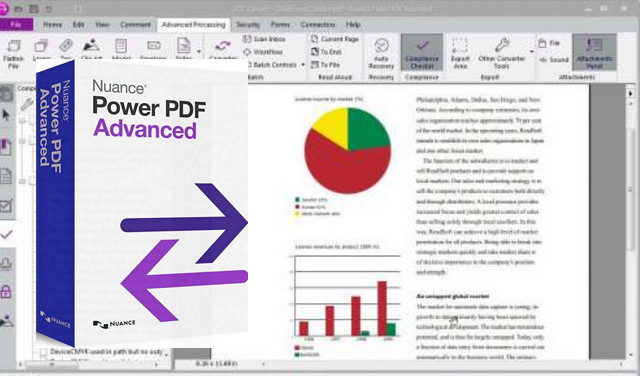
A solution tailored for businesses, and designed for users
Power PDF Advanced isn't just another PDF alternative, but the leading PDF solution. Easy to deploy, manage, and above all, use, Power PDF is the ideal software to boost your teams' efficiency and reduce the workload of your IT departments.
Power PDF Advanced is a powerful yet incredibly easy-to-use solution.
It offers enterprise users all the tools they need to securely create, convert, and share PDF files.
Creation and conversion:
Create PDFs from virtually any PC application
Create standardized PDF files that are compatible with all PDF programs on the market.
Add bookmarks and transfer hyperlinks from your Microsoft Word, Excel, and PowerPoint documents when converting them to PDF.
Never retype a document again!
Accurately transform your PDF files into editable and perfectly formatted Microsoft Word, Excel, PowerPoint and Corel WordPerfect documents, with text, columns, tables and graphics.
Collection of form data
Export information entered in forms in XFDF, XML, TXT or CSV format for sorting, searching and analysis purposes.
Conversion of legal documents
With Power PDF's Convert Assistant, convert all your legal PDF documents to Microsoft Office formats, with options for stamps and line numbering.
Custom Bates Stamps
Create custom numbering profiles, allowing the insertion of stamps combining text and sequential numbers in your headers and footers.
Editing and teamwork:
Differentiated comparison of documents
Quickly identify changes made to different versions of a document using a "side-by-side" comparison tool that accurately points to text and graphic edits, and provides a detailed report of all changes.
Share a multitude of files without needing to zip them
Combine multiple files of different types into a single PDF, without changing their original format.
View and edit Microsoft Office documents directly within a PDF document folder.
A word processor in a PDF solution
Use Advanced Edit mode to transform your PDF files into dynamic documents with a single click, which you can edit as easily as in a word processing tool.
Enter notes just by speaking
With just the sound of your voice, quickly and accurately add notes to your PDFs thanks to Dragon Notes, the speech recognition module integrated into the program.
Smarter search
Use the "Looks Like Search" analogy search function to find information matching a specific alphanumeric pattern (phone numbers, email addresses, credit card numbers, etc.).
Compliance Verifier
Check the PDF/A compliance and accessibility of your PDFs, and automatically correct PDF/A compliance issues.
Protection and security:
Connecting to online storage sites
Open and save documents to and from online storage sites by connecting directly to Box, Google Drive, Windows Live SkyDrive, Office 365, Evernote and Dropbox.
Your documents are accessible anytime, anywhere, via the web or from your mobile devices.
Scan and annotate in one click
Define words or phrases that will automatically be "marked" (crossed out, highlighted, underlined or struck through) when your documents are scanned.
Support for document management systems
Enjoy direct connectivity with the most common document management systems to handle your documents simply and seamlessly.
Enhanced document protection
Use passwords, 128-bit and 256-bit AES encryption, and access controls to restrict viewing, printing, and editing of your PDF files.
For secure sharing, use the redaction functions and inspect your PDFs to automatically remove all sensitive data.
Digital Rights Management (DRM)
Integration with FileOpen's digital rights management software allows you to protect your PDFs to prevent them from being copied, transferred, saved, printed, or searched.
Minimum system requirements and compatibility:
Windows 7, 8, 8.1, 10 (32-bit & 64-bit)
Windows Server 2003, 2008 RS2, 2012
800 MHz processor
512 MB of available RAM
Microsoft .NET Framework 4.0
1028×768 compatible video card
700 MB of free hard drive space
Facility
1. Open the "Setup" folder and install the software using the "Setup.exe" file.
2. Launch the program and register using one of the keys from the "Serials.txt" file.
- Language: French / English
- Size: 992.07 MB
This article was updated on July 21, 2016