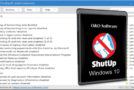
O&O ShutUp10 is a small application for Windows 10 users who don't want to share their personal data with the tech giant. Through a simple interface, it offers a way to limit the giant's telemetry.
O&O ShutUp10 is a small, free, and standalone application. It requires no installation, only Windows 10. Its purpose is to offer control over how Windows 10 respects user privacy. This allows users to enable or disable certain telemetry features.
Windows 10, O&O ShutUp10 offers to regain control of your data
By default, Microsoft configures Windows 10 to monitor, collect, and transmit a wealth of data about user activity. While the company loudly proclaims that all of this is done anonymously, it's perfectly understandable that users want to protect themselves. Windows 10 offers options to disable these tools, but doing so involves several steps, which can be daunting.
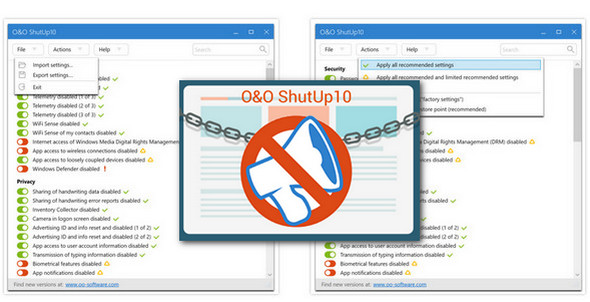
O&O ShutUp10 allows you to disable telemetry, location, Cortana, application access to your information, Wifi, network resource sharing, Webcam, calendar data, emails and more generally data collection in order to protect your privacy.
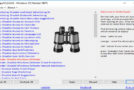
The list of settings includes, for each item, a summary of its actions and how it affects PC usage. You can adjust settings line by line or opt for a faster solution by letting the application choose, as a list of security options is available. Setting it up requires only a single mouse click. There is also a module for exporting and importing your configuration.
O&O ShutUp10 is effective and comprehensive. It offers advanced control over Windows 10's data collection capabilities. It must be run as administrator, and it is strongly recommended to create a system restore point before implementing any actions.
Configuration:
– Windows (x32/x64 Bits): 10
– Processor: Pentium 4 3GHz
– RAM: 512 MB
– Disk space: 1 MB
Facility :
- Execute : OOSU10.exe
- Language : Multilingual (French included)
- Size : 654 KB
This article was updated on November 24, 2016